
- 1Key Takeaways
- 2Why Tour Operator Booking Software Saves You Hours
- 3What Is Tour Operator Booking Software?
- 4The 8 Smart Tour Operator Booking Software Tools (2026)
- 1. Rezdy — Automate Bookings and Distribution
- 2. FareHarbor — Automate Reservations and Waivers
- 3. Bókun — Automate OTA Sync
- 4. Peek Pro — Automate With AI
- 5. Xola — Automate Marketing and Direct Sales
- 6. Checkfront — Automate Multi-Product Bookings
- 7. Ezus — Automate Proposals and Client Management (CRM)
- 8. TourWriter — Automate Itineraries and CRM
- 5How Tour Operator Booking Software Cuts Admin Time
- 6Do You Need a Tour Operator CRM Too?
- 7What Is the Best Booking Software for Tour Operators?
- 8How Does Online Booking Software Help Tour Operators?
- 9How Much Time Can Booking Software Save?
- 10Do Tour Operators Need a CRM?
- 11The Real Cost of Manual Admin for Tour Operators
- 12Automation Features That Save the Most Time
- 13How to Choose the Right Tour Operator Booking Software
- 14Common Mistakes When Choosing Booking Software
- 15Frequently Asked Questions
- 16Final Thoughts and Your Automation Checklist
Tour Operator Booking Software: 8 Smart Tools to Cut Admin Time
Tour operator booking software can slash your admin hours — here are 8 smart tools that automate bookings, payments, and client management to save time in 2026.

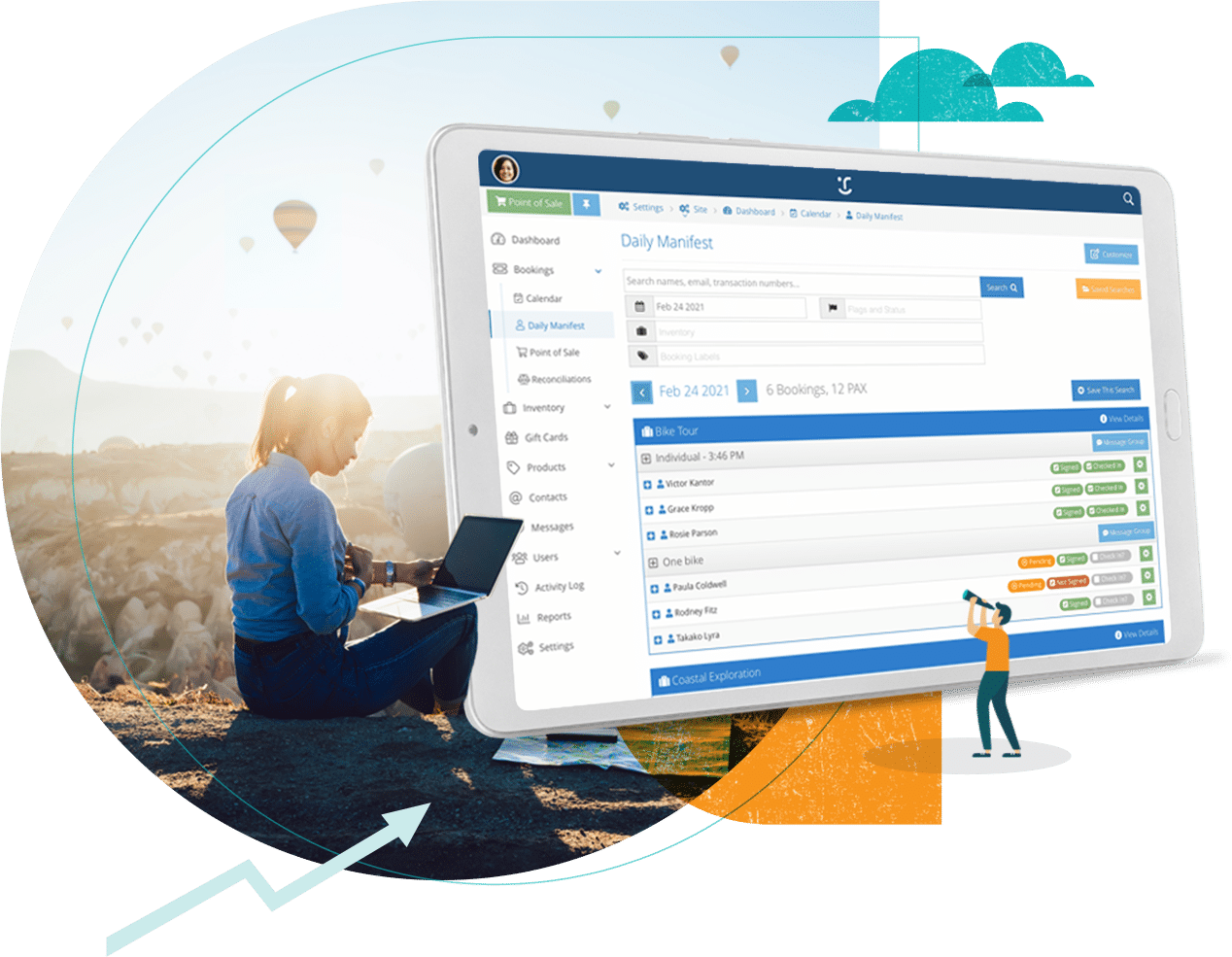
Tour operator booking software automates the manual tasks that eat your day — reservations, payments, availability, waivers, confirmations, and follow-ups — and the 8 smartest tools for cutting admin time in 2026 are Rezdy, FareHarbor, Bókun, Peek Pro, Xola, Checkfront, Ezus, and TourWriter. The right tool can save you hours every week by replacing spreadsheets and back-and-forth emails with automated, real-time booking.
That's the short answer. Below, we cover all 8 tools with a focus on the admin they eliminate, exactly how booking software saves time, and whether you also need a tour operator CRM. If you're spending more time managing bookings than delivering experiences, this guide shows you how to fix that fast.

Want to automate faster? Download our free admin-automation checklist to see exactly which tasks your booking software should handle for you.
Key Takeaways
Booking software eliminates manual admin — reservations, payments, availability, waivers, and confirmations all run automatically.
The 8 smart tools: Rezdy, FareHarbor, Bókun, Peek Pro, Xola, Checkfront, Ezus, and TourWriter.
Real-time availability prevents overbookings — the costly errors that manual systems create.
Automation frees hours weekly — time you can reinvest in delivering experiences and growing.
A tour operator CRM adds client management — automating follow-up and repeat bookings on top of reservations.
Match the tool to your admin pain — distribution, payments, client management, or itinerary building each have a best fit.
Why Tour Operator Booking Software Saves You Hours
Tour operator booking software exists to solve one painful problem: manual admin. Without it, you're taking bookings by phone and email, tracking availability in spreadsheets, chasing payments, and manually sending confirmations and waivers — hours of repetitive work that scales badly and invites costly errors like double-bookings. The right software automates all of it, so you can focus on delivering great experiences instead of paperwork.
The stakes are high because the tours and activities sector is booming. It's the third-largest travel segment, a rapidly digitising market worth hundreds of billions, according to research from Phocuswright and industry body Arival. Meanwhile, the World Travel & Tourism Council forecasts Travel & Tourism to contribute $12 trillion globally in 2026, and Skift Research projects continued growth. Travellers increasingly expect to book online instantly — and operators stuck on manual systems lose those sales.
Here's the admin that good tour operator booking software eliminates:
Manual booking entry — replaced by automated, real-time reservations.
Availability tracking — synced automatically to prevent overbookings.
Payment chasing — collected automatically at booking.
Confirmation emails — sent automatically to every customer.
Waivers and forms — handled digitally, no paper.
The operators who scale run lean, automated operations. Let's look at the 8 smartest tools to get you there.
What Is Tour Operator Booking Software?
Tour operator booking software is a platform that automates online reservations, availability, payments, and customer communications for tour and activity businesses. It replaces manual booking methods with a real-time system that takes bookings 24/7, syncs availability, collects payments, and handles the admin automatically — freeing operators to focus on their tours.
A few core terms defined up front, since we'll use them throughout:
Online booking software for tour operators lets customers book and pay on your website in real time.
A booking engine is the tool that powers reservations on your site.
A channel manager syncs availability across OTAs and resellers automatically.
Real-time availability updates your open slots instantly to prevent overbookings.
Automation handles repetitive tasks (confirmations, reminders) without manual work.
A tour operator CRM manages customer relationships, follow-up, and repeat bookings.
Resource management tracks guides, vehicles, and equipment.
A digital waiver is an electronic liability form customers sign online.
Abandoned cart recovery re-engages customers who start but don't finish booking.
An OTA (online travel agency) like Viator resells your tours.
With the vocabulary set, here are the 8 smart tools.
The 8 Smart Tour Operator Booking Software Tools (2026)
Here's the lineup, focused on the admin each one eliminates. Pricing changes often — always confirm current rates.
# | Tool | Admin it cuts | Best for |
|---|---|---|---|
1 | Rezdy | Booking + distribution | Multi-channel operators |
2 | FareHarbor | Reservations + waivers | Starting out |
3 | Bókun | OTA sync | Viator sellers |
4 | Peek Pro | AI admin + POS | Walk-up & high volume |
5 | Xola | Marketing + direct sales | Conversion-focused |
6 | Checkfront | Multi-product bookings | Tours + rentals |
7 | Ezus | Proposals + CRM | Custom trips & DMCs |
8 | TourWriter | Itineraries + CRM | Multi-day tours |
1. Rezdy — Automate Bookings and Distribution
Rezdy cuts admin by automating both bookings and distribution. Its channel manager syncs your availability across 100+ OTAs and a 5,000+ reseller marketplace automatically, so you never manually update multiple platforms or risk double-bookings. Real-time availability, automated confirmations, and mobile management round it out. Pricing runs $49–$249/month plus a 3% booking fee. Best for: operators who sell across many channels and want distribution on autopilot.
2. FareHarbor — Automate Reservations and Waivers
FareHarbor (owned by Booking Holdings) automates reservations, payments, and digital waivers with no monthly fee — just a roughly 6% per-booking commission. It's especially strong at eliminating paperwork through digital waivers and automated communications, cutting check-in admin for activity operators. Best for: operators wanting to automate reservations and waivers with zero upfront cost.
3. Bókun — Automate OTA Sync
Bókun (owned by Tripadvisor/Viator) automates OTA distribution with the lowest fees in the category — 1.5% (0% on Viator) on a $49/month plan. Its 27,000+ partner marketplace and automatic Viator sync eliminate the manual work of managing listings across platforms. Best for: Viator sellers who want OTA admin handled automatically.
4. Peek Pro — Automate With AI
Peek Pro is the smartest tool for AI-driven automation, with its Peek Copilot assistant handling marketing content and back-office tasks like staff scheduling, plus dynamic pricing, abandoned-cart recovery, and the best walk-up POS. It offers a free plan (6% direct fee) or paid plans from $199/month. Its AI automation genuinely cuts hours of admin. Best for: high-volume and walk-up operators wanting AI to handle the busywork.
5. Xola — Automate Marketing and Direct Sales
Xola cuts admin on the sales-and-marketing side, automating abandoned-cart follow-ups, review requests, and direct-booking optimisation to convert more website visitors without manual chasing. Its focus on direct sales helps reduce OTA dependence. Pricing is custom with per-booking fees. Best for: operators automating marketing and growing direct bookings.
6. Checkfront — Automate Multi-Product Bookings
Checkfront (part of the Rezdy family) automates bookings across diverse product types — tours, rentals, and combos — with customisable calendars, waivers, and payments at around $99/month plus ~3% fees. If you sell varied products, it eliminates the admin of juggling multiple systems. Best for: multi-activity operators automating diverse bookings in one place.
7. Ezus — Automate Proposals and Client Management (CRM)
Ezus goes beyond booking into automating proposals and client management, making it a strong tour operator CRM for custom-trip businesses. It generates budgeted, branded proposals fast, manages clients, and handles multi-currency finances, from around $129/month. For operators who build tailor-made trips, it cuts the huge admin of manual quoting. Best for: DMCs and custom-trip operators automating proposals and CRM.
8. TourWriter — Automate Itineraries and CRM
TourWriter automates the complex admin of building multi-day, custom itineraries, with supplier coordination and a built-in CRM, at around $59/user/month. For operators crafting bespoke journeys (safaris, luxury tours), it replaces hours of manual itinerary assembly and client tracking. Best for: multi-day and luxury tour operators automating itineraries and client management.
How Tour Operator Booking Software Cuts Admin Time
The magic of tour operator booking software is in the specific admin tasks it automates. Here's exactly where the hours go, and how software reclaims them:
Manual task | Automated by software |
|---|---|
Taking bookings by phone/email | 24/7 real-time online booking |
Updating availability spreadsheets | Automatic real-time sync |
Chasing payments | Payment collected at booking |
Sending confirmations | Automated instantly |
Managing waivers | Digital waivers signed online |
Updating OTA listings | Channel manager syncs all |
Following up with customers | Automated email sequences |
Add it all up, and a busy operator can reclaim many hours every week — time that goes straight back into delivering experiences, marketing, and growth. The biggest single win is real-time availability, which not only saves the admin of manual tracking but prevents the costly, reputation-damaging errors of double-bookings. In our experience, operators are consistently surprised by how much time they'd been losing to manual admin until software takes it off their plate. Automation isn't a luxury here — it's what lets a small team run a large operation.
Do You Need a Tour Operator CRM Too?
Booking software handles reservations, but a tour operator CRM handles relationships — capturing customer details, automating follow-up, and driving repeat bookings and referrals. The two overlap: some booking platforms (like Ezus and TourWriter) include CRM features, while others focus purely on transactions.
Do you need both? For simple activity operators taking one-off bookings, a booking tool with basic customer records may be enough. But for operators who want repeat business — especially those selling higher-value or custom trips — a proper tour operator CRM is invaluable. It automates the post-trip follow-up, review requests, and "come back next season" nudges that turn one-time customers into loyal, repeat guests. If your booking software lacks strong CRM features, pairing it with dedicated client-management software closes the gap. Tools like TravelBoost provide CRM, client management, and commission tracking that complement a booking platform — especially useful if you also work with travel advisors or agents.
What Is the Best Booking Software for Tour Operators?
The best booking software for tour operators depends on your admin pain point: Rezdy for multi-channel distribution, FareHarbor for automating reservations and waivers with no monthly fee, Bókun for automated Viator sync, Peek Pro for AI-driven automation and walk-up POS, and Checkfront for multi-product operators. For custom trips, Ezus and TourWriter automate proposals and itineraries.
There's no single best booking software for tour operators — the right choice is whichever eliminates the most admin for your specific business. For most operators, we recommend identifying your biggest time drain (distribution, payments, waivers, or client follow-up) and choosing the tool that automates it best. Test your top two with free trials, and prioritise the one your team finds easiest to run daily.
How Does Online Booking Software Help Tour Operators?
Online booking software for tour operators helps by letting customers book and pay on your website in real time, 24/7, without any manual work on your end. It automatically updates availability, collects payment, sends confirmations, and syncs across channels — eliminating the phone tag, email chains, and spreadsheets that consume hours. This means more bookings (captured even while you sleep) and far less admin.
Beyond saving time, online booking software for tour operators reduces costly errors like double-bookings, improves the customer experience with instant confirmation, and provides data on your sales and busiest times. It effectively turns your website into a 24/7 booking machine, so you capture demand you'd otherwise miss and spend your time on delivery and growth rather than data entry.
How Much Time Can Booking Software Save?
Booking software can save tour operators many hours every week — often the equivalent of a part-time role — by automating reservations, payments, availability updates, confirmations, and follow-ups. The exact saving depends on your volume, but any operator handling bookings manually will reclaim significant time, especially during busy season when manual admin becomes overwhelming.
Consider the tasks: no more answering booking calls, manually checking availability, chasing payments, or sending individual confirmations. Each is minutes per booking that add up to hours per week. For a growing operator, that reclaimed time is the difference between being stuck doing admin and being free to market, improve, and scale. The software effectively pays for itself in time alone, before counting the extra bookings it captures.
Do Tour Operators Need a CRM?
Tour operators benefit from a CRM (customer relationship management system) if they want to drive repeat business and referrals, because a tour operator CRM automates follow-up, stores customer preferences, and nurtures relationships beyond the single transaction. While a booking tool captures the sale, a CRM captures the relationship — turning one-time guests into loyal, repeat customers.
Simple activity operators taking one-off bookings may manage with their booking software's basic records. But operators selling higher-value, custom, or seasonal trips gain enormously from a CRM's automated follow-up and repeat-booking nudges. Some booking platforms include CRM features; if yours doesn't, pairing it with dedicated client-management software ensures no relationship — or repeat booking — slips away.
The Real Cost of Manual Admin for Tour Operators
Manual admin is the hidden tax on every tour operator, and it's exactly what tour operator booking software eliminates. Before choosing a tool, it helps to see what sticking with manual processes actually costs. Statista data shows the experiences and activities market growing steadily as it digitises, and software-review platforms like Capterra and G2 now list hundreds of booking tools — a sign of how essential automation has become.
The cost of manual admin isn't just your time. It's lost bookings (customers who can't book instantly simply go to a competitor who offers it), costly errors (a double-booking damages your reputation and forces awkward cancellations), and burnout (drowning in admin during busy season leaves no energy for growth). In our experience, operators consistently underestimate how much manual booking caps their growth — until they automate and suddenly have hours back each week. Every minute spent manually entering a booking, checking a spreadsheet, or chasing a payment is a minute not spent delivering experiences or winning new business. That's the real price of manual admin, and it's why automation pays for itself so quickly.
Automation Features That Save the Most Time
Not all tour operator booking software automates equally. When comparing tools, these are the automation features that reclaim the most hours — prioritise them based on your biggest time drains:
Automation feature | Admin time it saves |
|---|---|
Real-time online booking | Eliminates phone and email booking |
Availability sync | No manual spreadsheet updates |
Automated payments | No chasing or manual invoicing |
Automated confirmations & reminders | No individual emails |
Digital waivers | No paper forms or check-in delays |
Channel manager | No updating each OTA by hand |
Abandoned-cart recovery | Automatic follow-up on lost sales |
CRM & repeat-booking nudges | Automated relationship management |
The highest-impact features for most operators are real-time availability (which prevents overbookings and eliminates manual tracking) and a channel manager (which syncs your listings everywhere at once). For operators focused on repeat business, CRM automation is the biggest win. We always advise operators to map their most time-consuming weekly tasks first, then choose the tour operator booking software that automates those specific tasks best. The goal isn't the most features — it's the right automation for how you actually work.
How to Choose the Right Tour Operator Booking Software
With 8 strong tools, here's how we recommend choosing your tour operator booking software:
Identify your biggest admin drain. Distribution, payments, waivers, or client follow-up?
Match the tool to that pain. Choose the one that automates it best.
Calculate the true cost. Factor in both subscription and per-booking fees for your volume.
Prioritise real-time availability. It prevents the costly errors manual systems create.
Check CRM needs. If repeat business matters, ensure client management is covered.
Test with free trials. Run a real booking through your top two.
Run a genuine customer journey through each finalist — from browsing availability to paying to receiving confirmation — and see which feels smoothest for both you and your customer. The best tool is the one that eliminates the most admin in a system your team will actually use daily. And remember, your booking software works best paired with a strong booking website — see our guide to travel agency website templates to make sure customers can find and book you easily.
Common Mistakes When Choosing Booking Software
Avoid these errors when selecting your tour operator booking software:
Ignoring per-booking fees. A "free" tool charging 6% can cost more than a subscription at volume.
Choosing on brand alone. Match the tool to the admin you most need to eliminate.
Overlooking automation depth. The more it automates, the more time you save.
Forgetting the customer experience. Clunky booking flows lose sales.
Skipping CRM needs. If repeat business matters, ensure client management is covered.
Not testing first. Use free trials before committing.
Neglecting mobile. You need to manage bookings on the go.
Avoid these, and your booking software becomes a genuine time-saving engine rather than another system to manage.
Frequently Asked Questions
What is tour operator booking software? Tour operator booking software is a platform that automates online reservations, availability, payments, and customer communications for tour and activity businesses. It replaces manual booking methods with a real-time system that takes bookings 24/7, collects payments, and handles admin automatically, freeing operators to focus on their tours.
What is the best booking software for tour operators? It depends on your biggest admin pain point: Rezdy for multi-channel distribution, FareHarbor for automating reservations and waivers with no monthly fee, Bókun for Viator sync, Peek Pro for AI automation and POS, and Checkfront for multi-product operators. For custom trips, Ezus and TourWriter automate proposals and itineraries.
How does online booking software help tour operators? Online booking software for tour operators lets customers book and pay on your website 24/7 in real time, automatically updating availability, collecting payment, and sending confirmations. This captures more bookings (even overnight), eliminates hours of manual admin like phone tag and spreadsheets, and reduces costly errors like double-bookings.
How much time can booking software save? Many hours every week — often the equivalent of a part-time role — by automating reservations, payments, availability, confirmations, and follow-ups. The exact saving depends on your volume, but any operator handling bookings manually reclaims significant time, especially during busy season. The software often pays for itself in time alone.
Do tour operators need a CRM? Tour operators benefit from a CRM if they want repeat business and referrals, since a tour operator CRM automates follow-up, stores customer preferences, and nurtures relationships. Simple one-off activity operators may manage with basic booking records, but those selling higher-value or seasonal trips gain enormously from a CRM's automated repeat-booking nudges.
Is there free tour operator booking software? Yes — some platforms offer free plans or no monthly fee (like FareHarbor and Peek Pro's free tiers), though they charge per-booking fees, typically around 6%. WordPress plugins like WP Travel Engine offer a genuinely free version with no booking commission. Calculate the per-booking fees against your volume, since "free" tools can cost more at scale.
Can tour operator booking software integrate with my website? Yes. Most tour operator booking software provides a booking engine or widget you embed directly into your existing website, so customers book without leaving your site. Options range from simple "Book Now" buttons to full calendar and product displays. WordPress-based tools install as plugins, while SaaS platforms give you embed code. This keeps the booking experience on your own branded site, which improves conversion and helps you capture more direct, commission-free bookings.
What's the difference between booking software and a tour operator CRM? Booking software handles the transaction — reservations, availability, and payments — while a tour operator CRM handles the relationship, storing customer data and automating follow-up to drive repeat bookings. Some platforms combine both; others specialise. If your booking tool has weak CRM features and repeat business matters to you, pair it with dedicated client-management software to cover both the sale and the relationship.
How long does it take to set up tour operator booking software? Most tour operator booking software can be set up in a few days to a couple of weeks, depending on how many tours and complex rules you have. You'll add your products, set availability and pricing, connect payments, and embed the booking engine on your site. Cloud platforms are generally faster to launch, and most providers offer onboarding support and templates to speed the process along.
Final Thoughts and Your Automation Checklist
The right tour operator booking software transforms your operation from admin-heavy to automated, reclaiming hours every week and letting you focus on growth. You don't need the most expensive tool — you need the one that eliminates your biggest time drains. Here's your quick checklist:
✅ Identify your biggest admin time drain
✅ Choose software that automates it best
✅ Prioritise real-time availability (prevents overbookings)
✅ Check per-booking fees for your volume
✅ Ensure CRM/follow-up is covered if repeat business matters
✅ Test your top 2 with free trials
✅ Reinvest the saved time into delivery and growth
The operators who scale fastest run automated, not manual. Pick a tool that cuts your admin, and watch how much time — and how many bookings — you gain.
If you also manage client relationships or work with travel advisors, TravelBoost complements your booking platform with CRM and commission tracking — start a free trial and download our free admin-automation checklist. For a broader look at travel tech, see our guide to travel agency software, and tour operators serving specific interests should read our niche tourism guide.
Want a CRM that's actually built for travel?
Leads, bookings, suppliers, Hajj operations, tours, car rental, finance — all in one platform. Set up in 10 minutes.
Start free 14-day trialWeekly playbook for travel-agency operators
One email a week — product updates, benchmarks, and behind-the-scenes changelog. No spam.
Related articles

Group Travel Management Software: The Complete 2027 Guide for Tour Operators, Agencies and Organizers

DMC Software: The Complete 2027 Guide for Destination Management Companies