
- 1Key Takeaways
- 2What Is Tour Operator Software?
- 3The 5 Types of Tour Operator Software
- 4The 12 Best Tour Operator Software Systems for 2026
- 1. Rezdy — Best for Distribution
- 2. FareHarbor — Best Zero-Upfront Option
- 3. Bókun — Best Low-Fee System
- 4. Peek Pro — Best for AI and Walk-Ups
- 5. Checkfront — Best Multi-Product System
- 6. Xola — Best Tour Operator Marketing Software
- 7. Regiondo — Best for European Operators
- 8. TrekkSoft — Best for Established Operators
- 9. WP Travel Engine — Best Free Option
- 10. TourWriter — Best for Multi-Day Itineraries
- 11. Ezus — Best for Proposals and Custom Trips
- 12. Tourplan — Best Enterprise System
- 5Tour Operator Software Pricing: The Real Math
- 6What Is the Best Tour Operator Software?
- 7How Much Does Tour Operator Software Cost?
- 8Do You Need Tour Operator Booking Software?
- 9What Is Tour Operator Marketing Software?
- 10Essential Features to Look For
- 11Switching Tour Operator Software: What to Know
- 12How to Choose Your Tour Operator Software
- 13Frequently Asked Questions
- 14Final Thoughts and Your Software Checklist
Tour Operator Software: 12 Best Booking Systems for 2026
Tour operator software runs your bookings, availability, payments, and marketing in one system. Here are the 12 best booking systems compared for 2026.

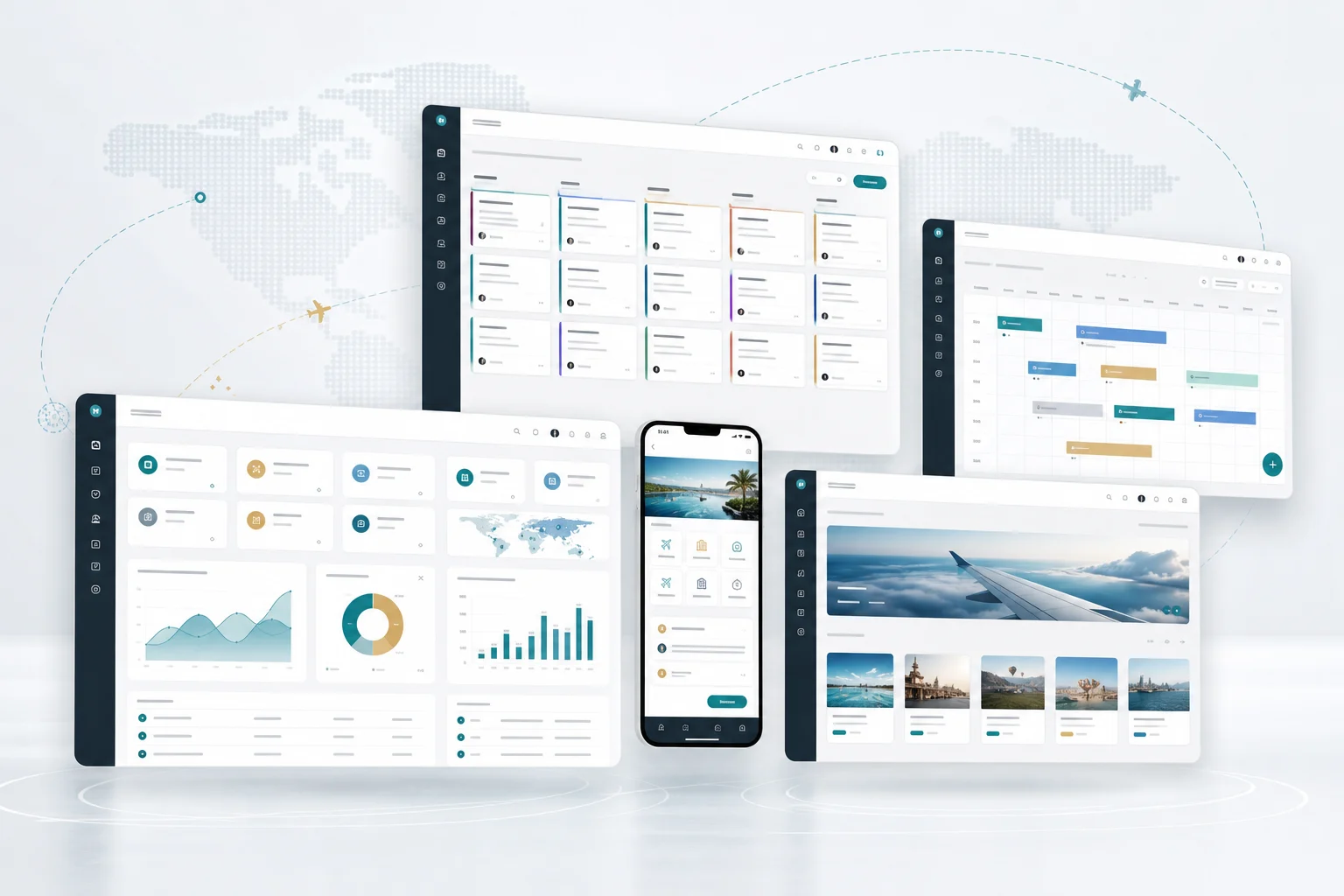
Tour operator software is the system that runs a tour or activity business — handling online bookings, real-time availability, payments, channel distribution, customer management, and marketing in one place. The 12 best systems for 2026 are Rezdy, FareHarbor, Bókun, Peek Pro, Checkfront, Xola, Regiondo, TrekkSoft, WP Travel Engine, TourWriter, Ezus, and Tourplan.
That's the short answer. Below, we explain the five types of tour operator software (most operators only think about one), compare all 12 systems on price and per-booking fees, break down the real cost math, and help you choose. If you're still running tours on spreadsheets and email, this is your roadmap out.
Key Takeaways
Tour operator software spans five categories — booking engine, channel manager, CRM, marketing, and back-office — not just bookings.
The 12 best systems: Rezdy, FareHarbor, Bókun, Peek Pro, Checkfront, Xola, Regiondo, TrekkSoft, WP Travel Engine, TourWriter, Ezus, and Tourplan.
Pricing splits into two models — subscription (~$49–$249/month) or commission-only (~6% per booking).
The math flips with volume. At $15,000/month in bookings, a 3% fee costs $450/month — often more than a subscription.
Bókun charges the lowest fees (1.5%, and 0% on Viator); WP Travel Engine takes no booking commission at all.
Tours and activities is travel's third-largest segment — and one of the least digitized, which is the opportunity.
What Is Tour Operator Software?
Tour operator software is a platform that manages the operations of a tour, activity, or attraction business — from taking online reservations and syncing real-time availability to collecting payments, distributing inventory to OTAs, managing customers, and marketing your experiences. It replaces the spreadsheets, phone calls, and email chains that cap a growing operator's capacity.
A few core terms defined up front, since we'll use them throughout:
A booking engine takes reservations and payments directly on your website.
Real-time availability updates open slots instantly, preventing overbookings.
A channel manager syncs your inventory across OTAs automatically.
An OTA (online travel agency) like Viator or GetYourGuide resells your tours.
Tour operator marketing software drives demand — abandoned-cart recovery, email, reviews, and promotions.
A CRM stores customer data and automates follow-up and repeat bookings.
Resource management tracks guides, vehicles, and equipment allocation.
A digital waiver is an electronic liability form signed online.
A per-booking fee is a percentage the platform takes from each sale.
Dynamic pricing adjusts rates automatically based on demand.
The opportunity here is real: tours and activities is the third-largest travel segment, worth hundreds of billions and still remarkably fragmented and under-digitized, according to research from Phocuswright and industry body Arival. The World Travel & Tourism Council forecasts Travel & Tourism to contribute $12 trillion globally in 2026, and Skift Research projects continued growth. Operators who digitize capture that demand; those who don't lose it to competitors who let travelers book instantly.
The 5 Types of Tour Operator Software
Here's the mistake most operators make: they shop for a "booking system" and end up with gaps everywhere else. Tour operator software actually spans five distinct jobs:
Type | What it does | Why it matters |
|---|---|---|
Booking engine | Takes reservations & payments on your site | Captures demand 24/7 |
Channel manager | Syncs availability to OTAs | Reach without double-bookings |
CRM | Manages customers & follow-up | Drives repeat business |
Marketing software | Recovers carts, sends email, collects reviews | Converts more visitors |
Back-office | Resources, guides, reporting, finances | Runs the operation |
Most all-in-one platforms cover the first two well, some cover marketing, and few cover CRM deeply. Understanding which of these five you actually need — before you shop — is the difference between buying the right system and buying a system you'll outgrow or under-use. In our experience, operators consistently underinvest in the CRM and marketing layers, then wonder why they're endlessly chasing new customers instead of rebooking the ones they already delighted.
The 12 Best Tour Operator Software Systems for 2026
Here's the lineup at a glance. Pricing changes frequently — always confirm current rates directly.
# | System | Pricing model | Best for |
|---|---|---|---|
1 | Rezdy | ~$49–$249/mo + 3% | Multi-channel distribution |
2 | FareHarbor | $0/mo + ~6% | Starting out, zero upfront |
3 | Bókun | ~$49/mo + 1.5% (0% Viator) | Lowest fees; Viator sellers |
4 | Peek Pro | Free + 6%, or $199+/mo | Walk-up POS & AI automation |
5 | Checkfront | ~$99/mo + ~3% | Multi-product & rentals |
6 | Xola | Custom + fees | Direct sales & marketing |
7 | Regiondo | ~$50–$210/mo + 3% | European operators |
8 | TrekkSoft | Custom | Established operators & DMOs |
9 | WP Travel Engine | Free / paid add-ons | WordPress, no booking commission |
10 | TourWriter | ~$59/user/mo | Multi-day custom itineraries |
11 | Ezus | ~$129/mo | Proposals, custom trips, DMCs |
12 | Tourplan | Enterprise | Large operators & DMCs |
1. Rezdy — Best for Distribution
Rezdy is the strongest choice for operators who sell through many channels. Its channel manager syncs availability across 100+ OTA integrations and a marketplace of 5,000+ resellers, including Viator and GetYourGuide. Pricing runs $49–$249/month plus a 3% booking fee. Best for: operators serious about multi-channel reseller distribution.
2. FareHarbor — Best Zero-Upfront Option
FareHarbor (owned by Booking Holdings) charges no monthly fee — just roughly 6% per booking — making it the easiest system to start on with zero risk. It's strong on digital waivers and customer communications. Note that website building is a paid add-on (around $499/month). Best for: new operators who want to start free and pay only when they sell.
3. Bókun — Best Low-Fee System
Bókun (owned by Tripadvisor/Viator) has the lowest fees in the category: 1.5% per booking — and 0% on Viator bookings — on a $49/month plan, with a 27,000+ partner marketplace. If you sell meaningfully through Viator, the economics are hard to beat. Best for: Viator-focused operators who want minimal per-booking costs.
4. Peek Pro — Best for AI and Walk-Ups
Peek Pro offers the best walk-up point-of-sale in the category, plus its Peek Copilot AI assistant handling marketing content and back-office tasks, dynamic pricing, and abandoned-cart recovery. It's free (with a 6% direct fee) or from $199/month. Best for: high-volume and walk-up operators wanting AI-driven automation.
5. Checkfront — Best Multi-Product System
Checkfront (part of the Rezdy family) handles diverse product types — tours, rentals, and combinations — in one system, at around $99/month plus ~3% fees. If you rent equipment alongside running tours, it avoids juggling two platforms. Best for: operators selling varied products and rentals.
6. Xola — Best Tour Operator Marketing Software
Xola is the standout for the marketing layer, with strong abandoned-cart recovery, review generation, and direct-booking optimization designed to reduce OTA dependence. If your priority is converting more of your own website traffic rather than distributing wider, Xola is built for exactly that. Pricing is custom with per-booking fees. Best for: operators focused on direct sales and conversion.
7. Regiondo — Best for European Operators
Regiondo is a leading European platform, with strong local OTA connections and multi-language, multi-currency support built in. Pricing runs roughly $50–$210/month plus 3%. For operators in Europe, its regional distribution network is a genuine advantage over US-centric platforms. Best for: European tour and activity operators.
8. TrekkSoft — Best for Established Operators
TrekkSoft is a long-standing platform serving established operators, destinations, and DMOs, with booking, channel management, and payments in one system. It suits mid-size operators wanting a mature, comprehensive platform. Pricing is custom, so request a quote. Best for: established operators and destination organizations.
9. WP Travel Engine — Best Free Option
WP Travel Engine is a WordPress plugin used by 20,000+ operators, and it's genuinely free with no booking commission — you keep 100% of every sale (payment processor fees aside). Paid add-ons extend functionality. The trade-off: you're self-managing a WordPress site. Best for: WordPress users who want zero booking commissions.
10. TourWriter — Best for Multi-Day Itineraries
TourWriter specializes in building complex, multi-day custom itineraries with supplier coordination and a built-in CRM, at around $59/user/month. It's the tool for bespoke journeys — safaris, luxury tours, multi-country trips — rather than single-day activities. Best for: custom multi-day and luxury tour operators.
11. Ezus — Best for Proposals and Custom Trips
Ezus focuses on the quoting and proposal side, generating branded, budgeted proposals fast, plus client management and multi-currency finances, from around $129/month. For operators whose sales cycle involves detailed custom quotes, it eliminates hours of manual work. Best for: DMCs and custom-trip operators.
12. Tourplan — Best Enterprise System
Tourplan is an enterprise-grade platform serving large tour operators, wholesalers, and DMCs, with deep reservations, operations, and financial management. It's a serious investment for serious scale, not a fit for a small operator. Pricing is enterprise-level and quoted individually. Best for: large operators, wholesalers, and DMCs.
Tour Operator Software Pricing: The Real Math
The most consequential decision isn't which brand — it's which pricing model. Here's the difference:
Model | How it works | Cheapest when |
|---|---|---|
Subscription + low fee | Monthly fee (~$49–$249) + 1.5–3% | You have high booking volume |
Commission only | $0/month + ~6% per booking | You have low or seasonal volume |
Free / no commission | Self-managed (e.g., WordPress) | You're technical and cost-sensitive |
Do the math before you sign. At $15,000/month in bookings, a 3% fee costs $450/month on top of any subscription — while a 6% commission-only model would cost $900/month with no subscription at all. Suddenly a $99/month subscription with a 1.5% fee ($225) looks dramatically cheaper. But at just $2,000/month in bookings, the commission-only model costs $120 and wins easily.
The rule: low volume favors commission-only; high volume favors subscription with a low fee. Model your own numbers at your realistic booking volume, not your hoped-for volume. This single calculation is worth more than any feature comparison, and it's the step operators most often skip.
What Is the Best Tour Operator Software?
The best tour operator software depends on your volume, channels, and priorities: Rezdy for multi-channel distribution, FareHarbor for starting with zero upfront cost, Bókun for the lowest fees, Peek Pro for walk-ups and AI automation, Checkfront for multi-product operators, and Xola for direct-booking marketing. For custom multi-day trips, TourWriter and Ezus lead.
There's no single best tour operator software for every business. The honest way to choose is to model your costs at your actual booking volume, identify which of the five software types you genuinely need, shortlist two platforms, and run a real booking through each. We'd add one strong piece of advice: weight ease of daily use heavily. The most feature-rich system is worthless if your team avoids it. Software-review platforms like Capterra and G2 are useful for reading real operator reviews before you commit.
How Much Does Tour Operator Software Cost?
Tour operator software costs either a subscription of roughly $49–$249 per month (usually paired with a 1.5%–3% booking fee), or nothing monthly plus a per-booking commission of around 6%. Some options, like WP Travel Engine on WordPress, are free with no booking commission at all. Enterprise systems are quoted individually and cost substantially more.
The true cost depends entirely on your volume. Run the numbers: multiply your realistic monthly booking value by each platform's percentage, then add any subscription. Many operators are shocked to discover that a "free" 6% platform costs them far more annually than a paid subscription with a 1.5% fee. Also check for hidden costs — website building, add-on modules, and payment-processing fees are frequently extra. Model the total, not the headline price.
Do You Need Tour Operator Booking Software?
You need tour operator booking software if you take reservations — and effectively every operator does. Without it, you're capturing bookings manually by phone and email, tracking availability in spreadsheets, and losing every customer who wanted to book instantly at 11pm. Tour operator booking software turns your website into a 24/7 sales channel while eliminating the risk of double-bookings.
The genuine question isn't whether you need booking software, but which of the five software types you need beyond it. Many operators solve booking and stop there, leaving their marketing and customer relationships unmanaged. If you want repeat business and referrals — the most profitable business there is — you need the CRM and marketing layers too. For the broader travel tech landscape, see our guide to travel agency software.
What Is Tour Operator Marketing Software?
Tour operator marketing software is the layer that drives and converts demand: abandoned-cart recovery (re-engaging visitors who started but didn't finish booking), automated email campaigns, review generation, promotions and discount codes, and direct-booking optimization to reduce your dependence on commission-charging OTAs.
It matters because OTAs are expensive. Every booking through a marketplace costs you a commission, so any tour operator marketing software that shifts sales to your own website directly improves your margins. Xola and Peek Pro are the strongest here among booking platforms, though many operators pair their booking system with dedicated email and marketing tools. For a wider strategy, see our guide to digital marketing for travel agencies, and operators serving specialized interests should explore our niche tourism guide.
Essential Features to Look For
Beyond the category and price, these are the features that separate capable tour operator software from systems you'll outgrow:
Feature | Why it matters |
|---|---|
Real-time availability | Prevents costly double-bookings |
Mobile-optimized booking | Most travel searches happen on mobile |
Automated confirmations | Eliminates manual email admin |
Digital waivers | Removes paperwork at check-in |
Resource management | Allocates guides, vehicles, equipment |
Reporting & analytics | Shows what's actually selling |
Integrations | Connects payments, marketing, accounting |
Multi-currency & language | Essential for international guests |
Mobile deserves particular emphasis: Statista data confirms that a large majority of travel research and booking now happens on phones, so a booking flow that's clunky on mobile is quietly costing you sales every single day. In our experience, operators rarely test their own booking flow on a phone — and then wonder why visitors abandon at checkout. Before choosing any tour operator software, complete a full booking on your own phone as a customer would. If it takes more than a couple of minutes or requires pinching and zooming, keep looking.
Reporting is the other underrated feature. Good tour operator software tells you which tours sell, which channels convert, and when your peaks fall — turning guesswork into decisions. We consistently find that operators who actually read their reports price better, staff better, and market better than those who don't.
Switching Tour Operator Software: What to Know
Many operators end up migrating after realizing their first choice doesn't fit their volume or product. If you're switching tour operator software, plan carefully:
Export your data first. Customer records, booking history, and reviews are your assets — confirm you can take them.
Migrate in the off-season. Never switch during peak booking periods.
Run both systems briefly in parallel. This catches issues before you cut over.
Update every link. Your website, OTA listings, and marketing all point to the old booking flow.
Retrain your team properly. Adoption failure is the most common cause of a bad migration.
Check contract terms. Some platforms have notice periods or exit fees.
The lesson we'd draw from watching operators go through this: the cost of switching is high enough that it's genuinely worth doing the pricing math and the mobile test before you commit the first time. That said, if your current system is charging you 6% on growing volume when a low-fee subscription would cost half as much, the migration pays for itself quickly. Run the numbers honestly — sunk cost is not a strategy, and staying on the wrong tour operator software out of inertia is one of the most expensive habits in this business.
How to Choose Your Tour Operator Software
Here's the process we'd recommend, in order:
Identify which of the 5 software types you need. Booking alone, or booking + marketing + CRM?
Model your costs at real volume. Subscription vs. commission — do the arithmetic.
Check your distribution channels. Selling on Viator? Bókun's 0% fee changes everything.
Assess your products. Single-day activities, multi-day custom trips, or rentals?
Shortlist two platforms and run a genuine test booking through each.
Weight ease of use heavily. Your team must actually want to use it daily.
Confirm hidden costs — website, add-ons, payment processing.
Follow this order and the right choice usually becomes obvious. The most common expensive mistake is choosing on brand recognition, discovering the fee structure doesn't suit your volume, and migrating a year later. Do the math first.
Frequently Asked Questions
What is tour operator software? Tour operator software is a platform that manages a tour or activity business — handling online reservations, real-time availability, payments, OTA distribution, customer management, and marketing. It replaces manual spreadsheets and email, letting customers book instantly online 24/7 while preventing overbookings and automating admin.
What is the best tour operator software? It depends on your needs: Rezdy for multi-channel distribution, FareHarbor for zero upfront cost, Bókun for the lowest fees (1.5%, 0% on Viator), Peek Pro for walk-ups and AI, Checkfront for multi-product operators, and Xola for direct-booking marketing. For custom multi-day trips, TourWriter and Ezus lead.
How much does tour operator software cost? Either a subscription of roughly $49–$249 per month (usually with a 1.5%–3% booking fee), or no monthly fee plus a per-booking commission of around 6%. WP Travel Engine on WordPress is free with no booking commission. Low volume favors commission-only pricing; high volume favors a subscription with a low fee.
Is there free tour operator software? Yes. FareHarbor and Peek Pro offer free plans with no monthly fee (charging roughly 6% per booking instead), and WP Travel Engine is a genuinely free WordPress plugin with no booking commission at all. Calculate the per-booking fees against your volume, though — "free" platforms can cost far more than a subscription once your bookings grow.
What is tour operator marketing software? It's the layer that drives and converts demand: abandoned-cart recovery, automated email campaigns, review generation, promotions, and direct-booking optimization. It matters because it shifts sales away from commission-charging OTAs to your own website, directly improving margins. Xola and Peek Pro are the strongest options among booking platforms.
Do I need a channel manager? You need one if you sell through OTAs like Viator or GetYourGuide. A channel manager syncs your availability across every platform automatically, so a booking on one channel instantly updates the others — preventing the double-bookings that manual updating inevitably causes. If you sell only on your own website, you don't need one.
Can tour operator software integrate with my existing website? Yes. Nearly all tour operator software provides an embeddable booking engine or widget, so customers book directly on your site without being redirected elsewhere. WordPress users can install plugin-based systems, while SaaS platforms supply embed code you paste into your pages. Keeping the booking flow on your own branded site improves conversion and helps you capture more direct, commission-free bookings rather than pushing customers to an OTA.
How long does it take to set up tour operator software? Most operators are live within a few days to two weeks, depending on how many tours and pricing rules they have. You'll add your products, configure availability and rates, connect a payment processor, and embed the booking engine on your website. Cloud platforms launch fastest, and most providers offer onboarding support, templates, and migration help to speed the process along.
Is tour operator software worth it for a small operator? Almost always, yes. Even a single-tour operator loses bookings every time someone wants to reserve at midnight and can't, and manual availability tracking invites double-bookings that damage your reputation. Because commission-only platforms charge nothing monthly, a small operator can adopt proper booking software with zero fixed cost and pay only when they actually sell — which makes the decision fairly risk-free.
Final Thoughts and Your Software Checklist
The right tour operator software transforms a manual operation into a scalable business. The 12 systems above cover every type of operator — the trick is matching one to your volume, channels, and products. Here's your quick checklist:
✅ Identify which of the 5 software types you need
✅ Model subscription vs. commission at your real volume
✅ Check fees against your distribution channels
✅ Match the system to your product type
✅ Test your top two with real bookings
✅ Prioritize daily ease of use
✅ Confirm all hidden costs before signing
Do the math before the demo, and you'll choose a system that still fits when you've doubled your bookings.
One final thought. The tours and activities sector remains one of the least digitized parts of travel, which means the operators who adopt proper tour operator software now hold a real advantage over competitors still taking bookings by phone. Travelers increasingly expect to reserve instantly, on their phone, at any hour — and they simply move on when they can't. Whichever of the 12 systems you choose, the decision to digitize at all matters far more than picking the "perfect" platform. Start with the system that fits your volume today, and upgrade when your business genuinely outgrows it.
If you also manage client relationships, advisors, or commissions alongside your tours, TravelBoost complements your booking platform on the CRM and commission side — start a free trial and download our free software scorecard.
Want a CRM that's actually built for travel?
Leads, bookings, suppliers, Hajj operations, tours, car rental, finance — all in one platform. Set up in 10 minutes.
Start free 14-day trialWeekly playbook for travel-agency operators
One email a week — product updates, benchmarks, and behind-the-scenes changelog. No spam.
Related articles

Group Travel Management Software: The Complete 2027 Guide for Tour Operators, Agencies and Organizers

DMC Software: The Complete 2027 Guide for Destination Management Companies