
Customer 360 & Loyalty
Unified customer profiles with companions, trip history, loyalty tier, referrals, and lifetime value.
The Clients section is where you keep track of people who have already become customers. Unlike Leads, which are potential customers, Clients are people who have booked or done business with you. Every record here is the long-term memory of your relationship — every trip, every payment, every review, every companion who travels with them — so the next time they call you don't have to ask "who am I speaking with again?"
What You'll See on This Page
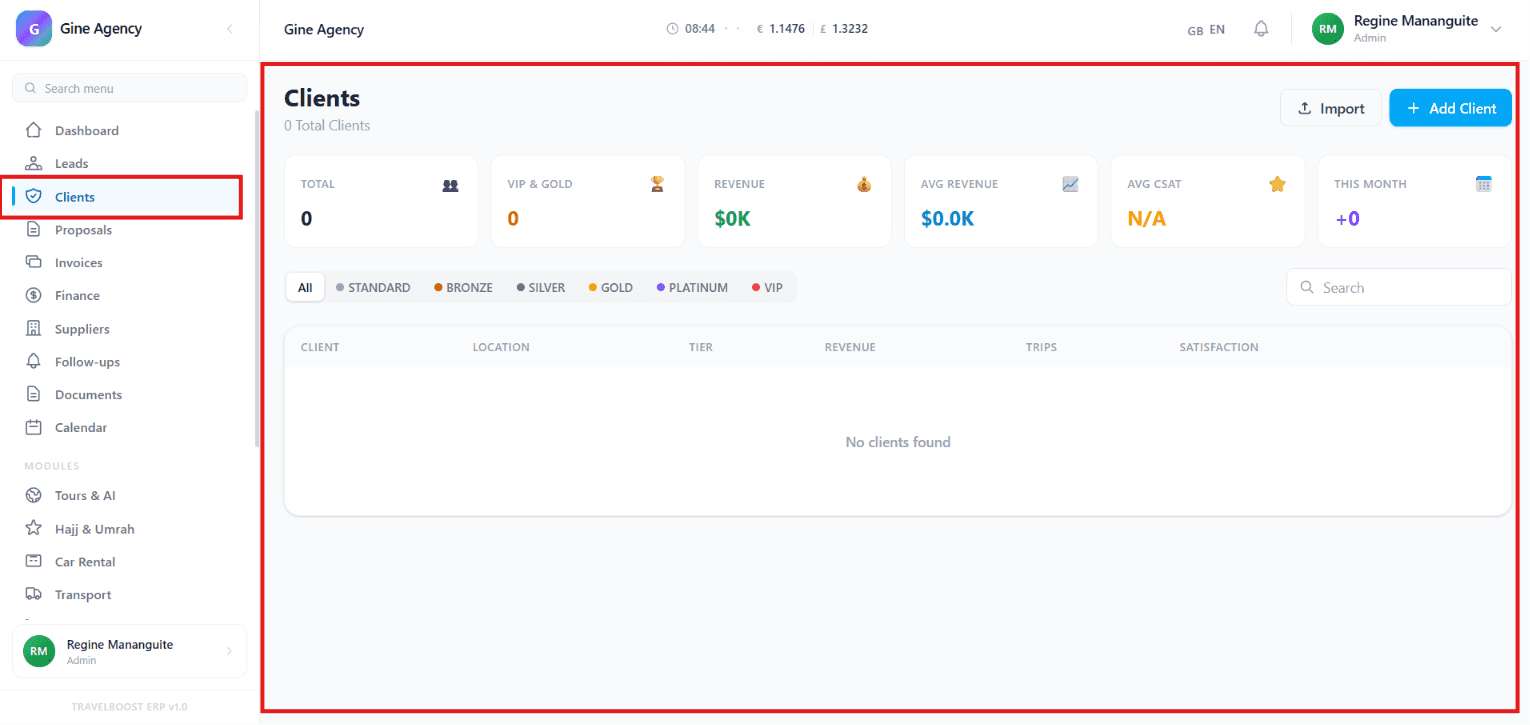
At the top of the Clients dashboard you'll find a row of metric cards that summarise your customer base at a glance:
- Total Clients — The total number of customers in your database
- VIP & Gold — Customers who belong to your premium tiers (your most valuable accounts)
- Revenue — Total income generated from your clients
- Average Revenue — Average amount earned per client (your typical customer LTV)
- Average CSAT — Customer satisfaction score (the average review rating across all clients)
- This Month — Number of new clients added this month (acquisition pace)
Why these metrics matter
These six numbers tell you, in 3 seconds, whether your agency is growing or shrinking. Total Clients is the size of your installed base. VIP & Gold divided by Total Clients tells you what percentage of your customers are premium — your real moat. Average Revenue is your customer-LTV proxy. Average CSAT is the canary in the coal mine for quality. This Month is your growth rate.
Client Categories
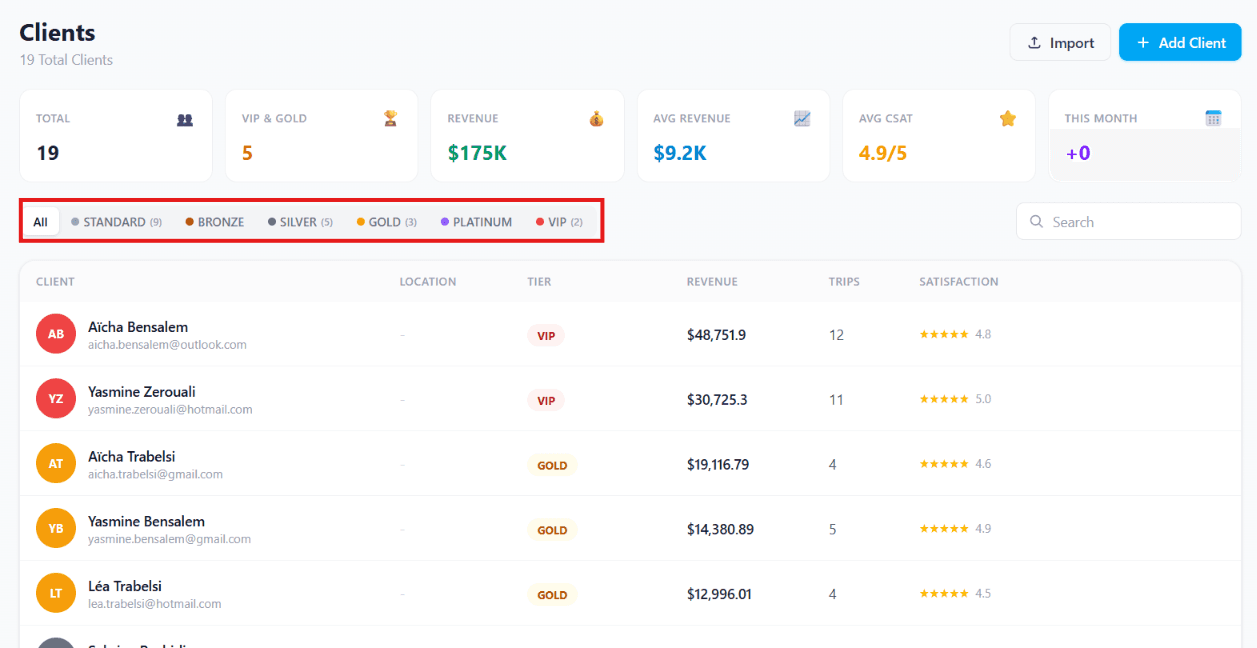
Clients can be grouped into different tiers, such as:
- Standard — Default tier for all new clients
- Bronze — Repeat customers (typically 2+ bookings)
- Silver — Mid-value loyal customers
- Gold — High-value customers, often automatic upgrades
- Platinum — Top-tier customers with significant LTV
- VIP — Your most valuable accounts (manually curated or threshold-driven)
This helps you identify and reward your most valuable customers. Tiers can be configured to auto-promote based on thresholds — number of trips booked, total revenue, referrals brought in, or years as a customer.
How tiers help your agency
The 80/20 rule applies brutally in travel: roughly 20% of your clients drive 80% of your revenue. Tiers make that 20% visible. A Gold client calling your office should ring a different bell than a Standard one — they get priority, the senior agent, room upgrades thrown in, the small extras that keep them booking with you for life.
How to configure tiers
- Go to Settings → Loyalty
- Click + Add Tier or click an existing tier to edit
- Set the promotion rule (auto-promote when revenue > $X, or trips > N, or manually)
- Set the benefits unlocked at that tier (discount %, free upgrades, priority routing, exclusive trip access, dedicated relationship manager)
- Save — the system retroactively re-tiers your existing client base based on the new rules
Client List
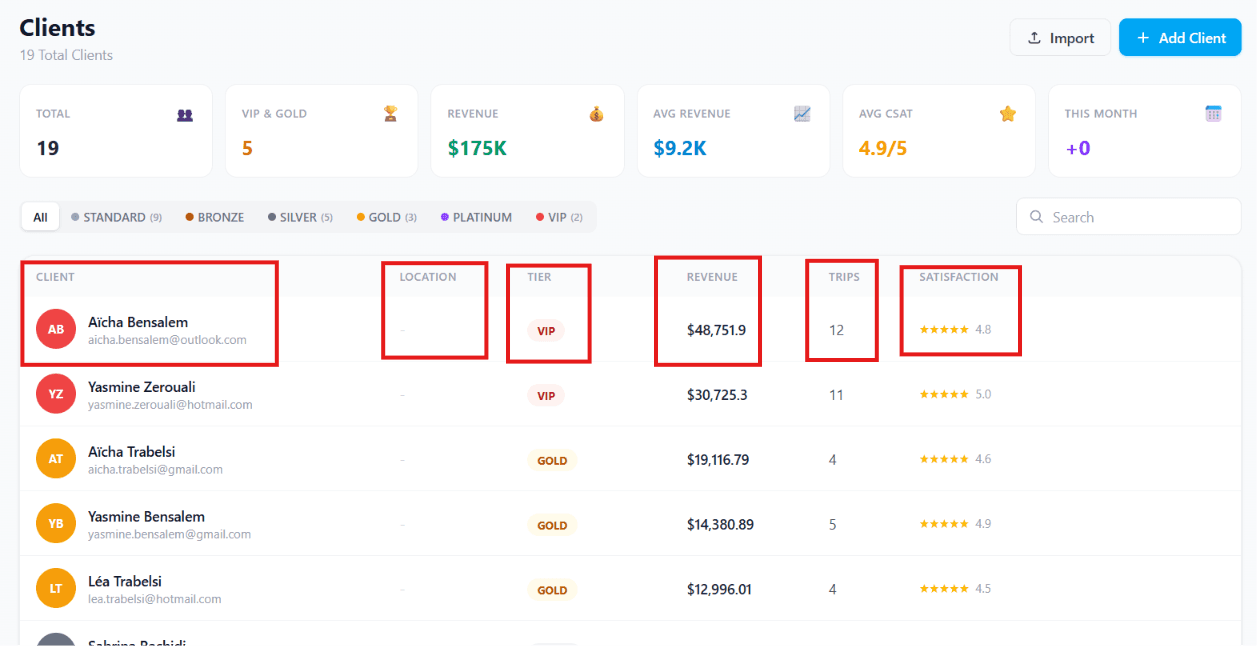
The table below shows information about each client, including:
| Column | Meaning |
|---|---|
| Client Name | Customer's full name (clickable to open the profile) |
| Location | Their primary country/city — useful for regional reporting |
| Membership Tier | Current tier (with colour-coded badge) |
| Revenue Generated | Lifetime revenue from this client (LTV) |
| Number of Trips | Total trips this client has booked |
| Satisfaction Rating | Average CSAT score across their reviews |
You can sort by any column. Click Filter to narrow by tier, location, or revenue band. Export the filtered list to CSV for marketing campaigns or annual reviews.
Import and Add Client
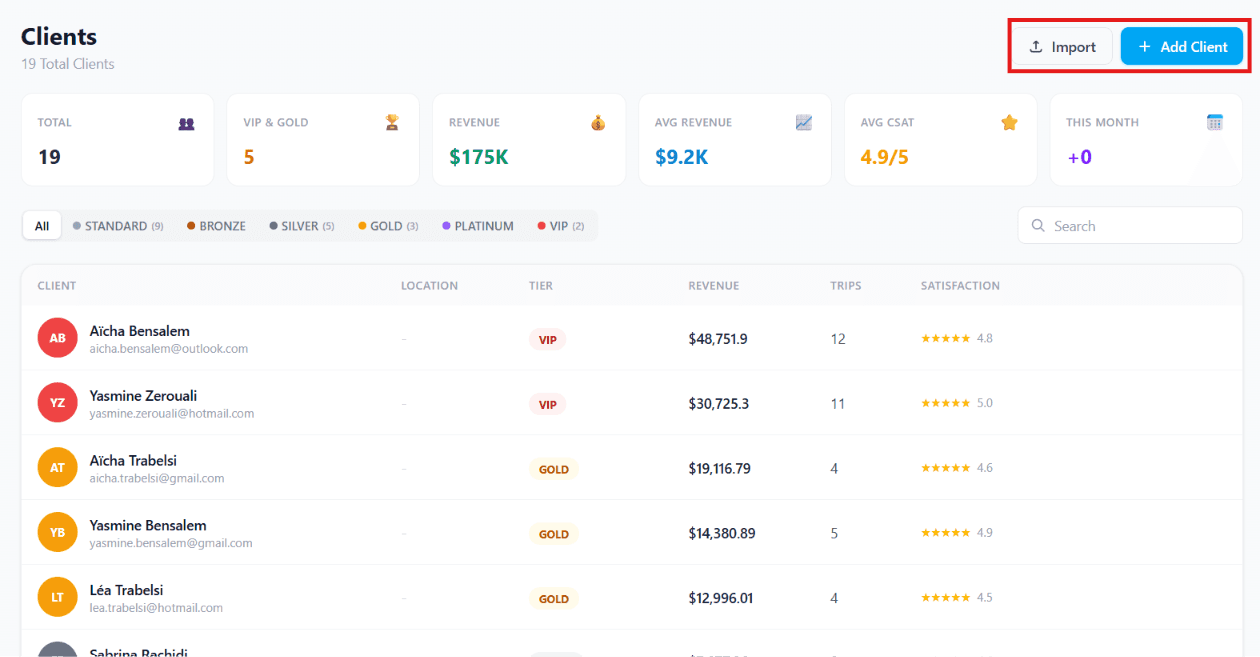
There are two ways to add clients to TravelBoost:
- Import — Upload an existing list of clients (CSV or Excel). The column-mapping wizard matches your spreadsheet headers to TravelBoost fields. De-duplication runs automatically against existing email and phone numbers.
- + Add Client — Add a new customer manually. The form takes about 60 seconds: name, email, phone, country, optional passport details.
When to use which
Import: when migrating from spreadsheets, a previous CRM, or after a marketing event with a sign-up list. Up to 10,000 rows per import.
+ Add Client: when a walk-in becomes a customer, or you're entering someone you met at a trade show. For everyday bookings, clients are usually auto-created when their first proposal is accepted, so manual entry is mostly for one-offs.
View & Edit Client Details
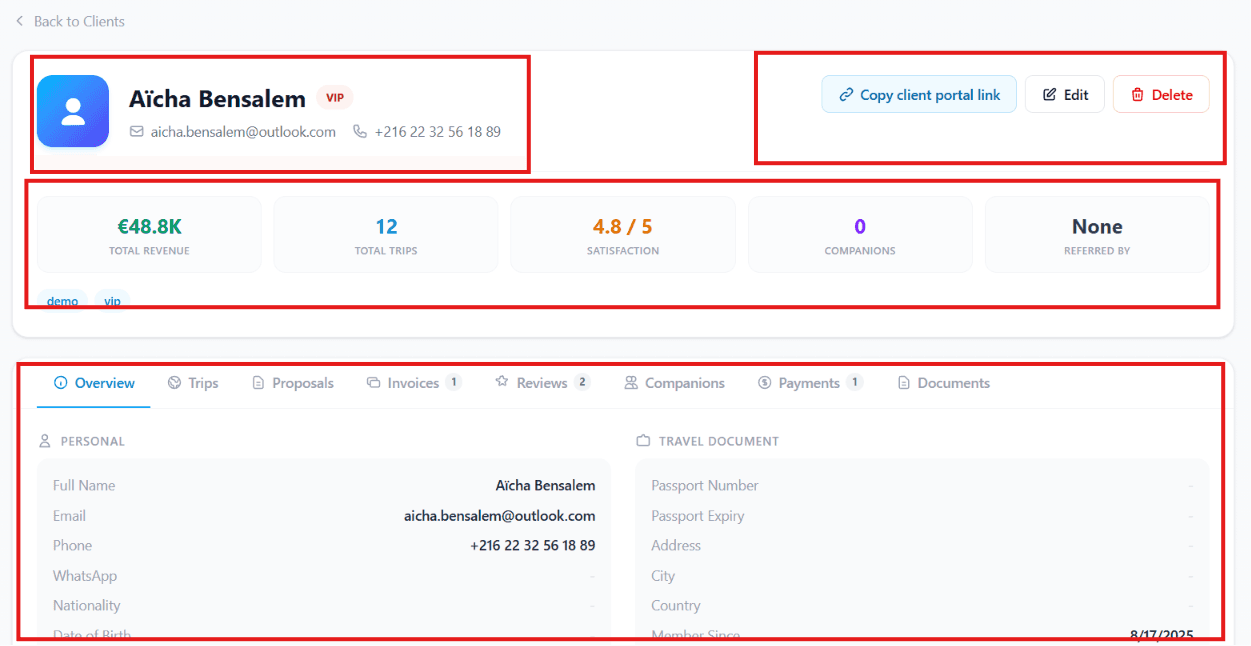
Click on any client's name to open their complete profile, where agents can easily view, update, and manage customer information.
Inside each client profile, you can:
- Edit client information (name, contact details, address, passport)
- Copy the client's portal link for easy sharing — your client can view their trips, invoices, and documents through this personal portal
- Delete client records when necessary (e.g. GDPR right-to-be-forgotten requests)
- View customer contact information (email, phone number, WhatsApp)
- Manage personal and travel document details (passport, visas, insurance, medical info)
- Track customer lifetime value and activity (the cumulative revenue and engagement timeline)
Why this matters for your agency
A unified client view eliminates the most common service failure in travel: an agent picks up the phone, can't immediately find the client's last booking, asks "who am I speaking with?" or "can you remind me what we discussed?" — and the customer's trust drops a notch. With the client profile open, your agent sees their tier, their last trip, their preferences, their family, their next planned trip, before the conversation begins.
Client Dashboard
Each client profile includes a dashboard that provides an instant overview of the customer's relationship with your agency.
Dashboard highlights:
- Total revenue generated — lifetime value at a glance
- Total trips booked — frequency over the relationship
- Customer satisfaction rating — average CSAT
- Travel companions — linked family members and frequent travel partners
- Referral information — who they brought in (and how much that's worth)
- Customer tags (e.g. VIP, allergic-to-shellfish, prefers-direct-flights, no-early-mornings) — your operational shortcuts
Client Tabs
Each client profile contains dedicated tabs that organise every aspect of the customer's travel history.
| Tab | Contents |
|---|---|
| Overview | Personal information, contact details, passport information, address, and other customer records |
| Trips | Complete history of past, current, and upcoming trips with status badges |
| Proposals | Every travel quotation and itinerary you've sent to the client, with viewed/accepted/rejected tracking |
| Invoices | Billing history, all invoices, and payment status |
| Reviews | Customer feedback and satisfaction ratings from past trips |
| Companions | Family members or travel companions linked to the client (one-click add to a new booking) |
| Payments | Payment history and every transaction record |
| Documents | Travel documents, passports, visas, insurance certificates, signed contracts |
How to use the tabs
Open the tab you need based on the conversation:
- Customer calling to book again? → Trips (see what they liked last time), then Proposals to start a new one
- Customer querying a payment? → Payments + Invoices
- Visa or passport question? → Documents
- Service complaint? → Reviews to check their history, then escalate
Complete Customer History
Every interaction with a client is stored in one place, allowing your team to quickly access booking history, financial records, travel documents, and communications. This helps deliver faster service, personalised experiences, and stronger long-term customer relationships.
Benefits
- Centralised customer records — one place for everything
- Easy editing and profile management — no admin overhead
- Complete booking and payment history — never ask "what did we agree?"
- Secure document storage — passports, visas, contracts at your fingertips
- Better customer service and personalisation — every agent looks informed
- Improved customer retention and loyalty — clients stay with agencies that remember them
Frequently asked questions
How is a Client different from a Lead?
A Lead is a potential customer who has shown interest but not yet booked. A Client is someone who has already done business with you — at least one confirmed proposal, invoice, or booking. Most agencies convert leads to clients automatically the moment the first proposal is accepted.
How do I move someone from Lead to Client?
In most cases this happens automatically when a lead reaches the "Won" stage of any pipeline. You can also convert manually from the lead profile by clicking Convert to Client. Their lead history (notes, communications, original source) is preserved on the new client record.
What does the membership tier do?
Tiers drive automation: each tier can unlock perks like discounts, priority support, free upgrades, or access to exclusive trips. You configure tier benefits in Settings → Loyalty, and the system auto-promotes clients as they hit thresholds (revenue, trips booked, referrals brought in).
Can I import existing clients from a spreadsheet?
Yes — click Import on the Clients page, drag a CSV/Excel file, and use the column-mapping wizard. The system de-duplicates against existing clients by email and phone, so re-imports are safe.
Are companions and families linked to each client?
Yes — the Companions tab on every client profile lets you link family members and frequent travel partners. When you build a new booking for any of them, the system suggests adding the linked companions in one click.