
Leads & CRM Pipeline
Capture, score, and convert leads from your website, WhatsApp, and partners with a fully customisable kanban pipeline.
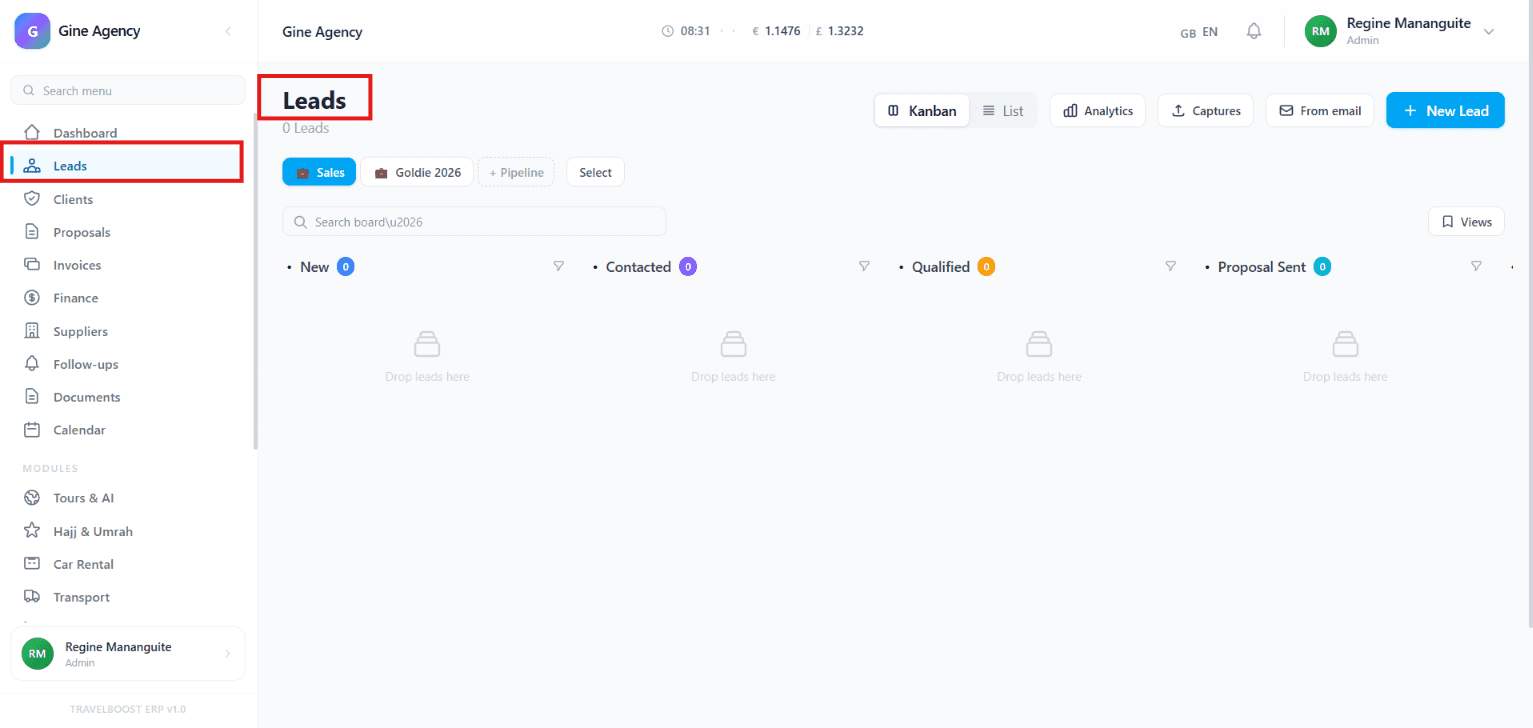
The Leads module is where you keep track of people who are interested in your services but haven't booked yet. Think of it as a list of potential customers, where you can follow their progress from their first inquiry until they become confirmed clients.
What You'll See on This Page
1. Leads Overview
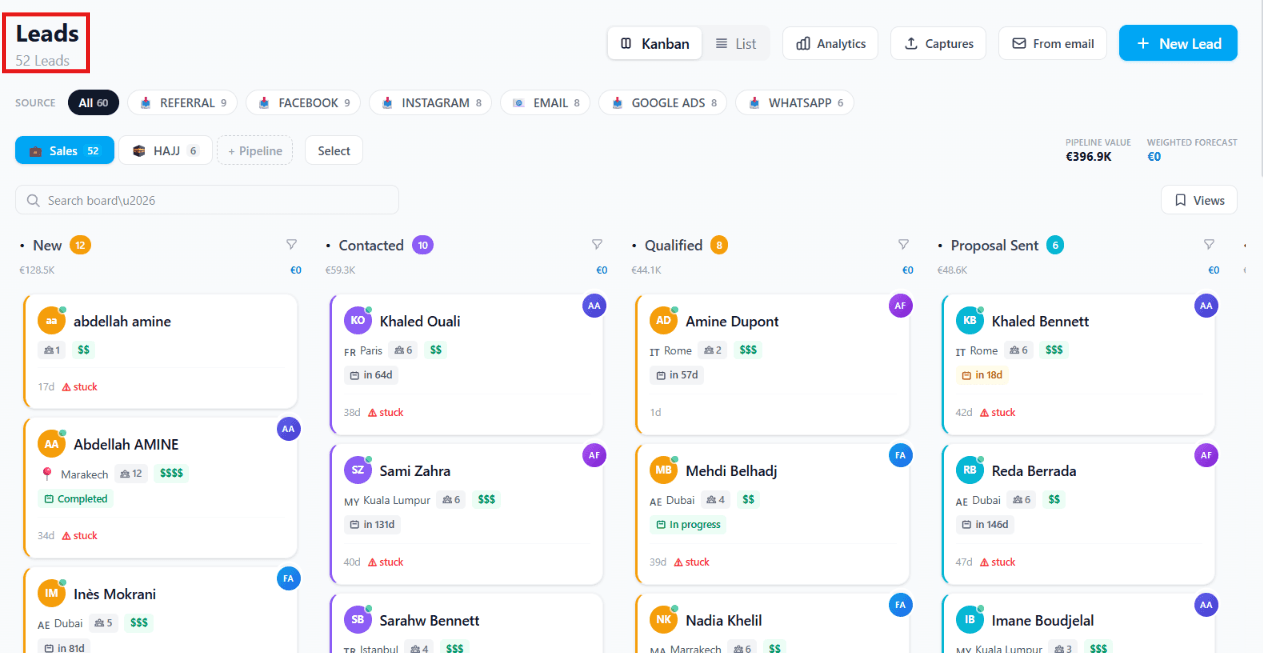
At the top of the page, you'll see the total number of leads currently in the system. In this example, there are 52 leads, meaning that many potential customers have been added.
2. Lead Source
The Lead Source section identifies where each lead came from. It helps you track which marketing channels are generating inquiries so you can measure the effectiveness of your campaigns and focus on the best-performing sources.
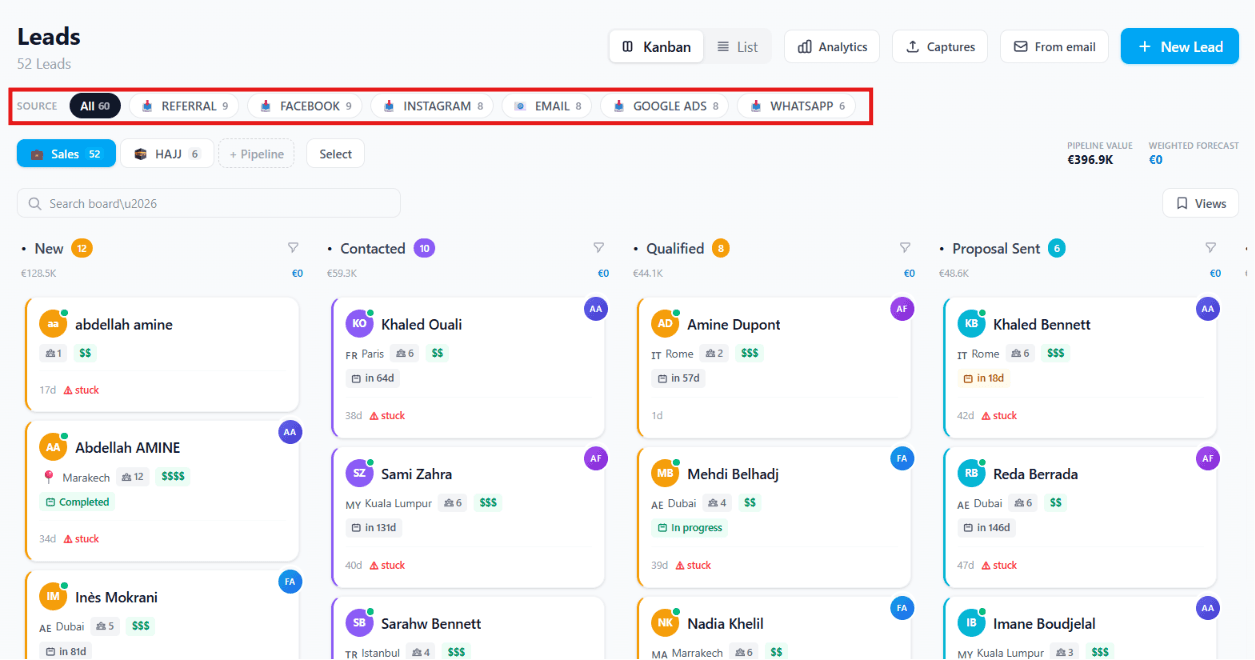
In the screenshot, the highlighted lead sources include:
- Referral — Leads referred by past clients, partners, or other people
- Facebook — Leads generated from Facebook ads, posts, or messages
- Instagram — Leads who contacted you through Instagram posts, stories, ads, or direct messages
- Email — Leads who reached out via email campaigns or direct email inquiries
- Google Ads — Leads acquired through paid advertisements on Google
- WhatsApp — Leads who initiated contact through WhatsApp messages
Why Lead Source is Important
- Tracks marketing performance by showing which channels bring in the most leads
- Measures return on investment (ROI) by comparing leads generated from different campaigns
- Improves decision-making by helping you allocate your marketing budget to the most effective channels
- Enhances follow-up strategies since different lead sources may require different communication approaches
Benefits
- Measures marketing campaign performance
- Identifies the most effective lead generation channels
- Improves marketing return on investment (ROI)
- Helps allocate marketing budgets more efficiently
- Supports better strategic planning for future campaigns
3. Pipeline Boards
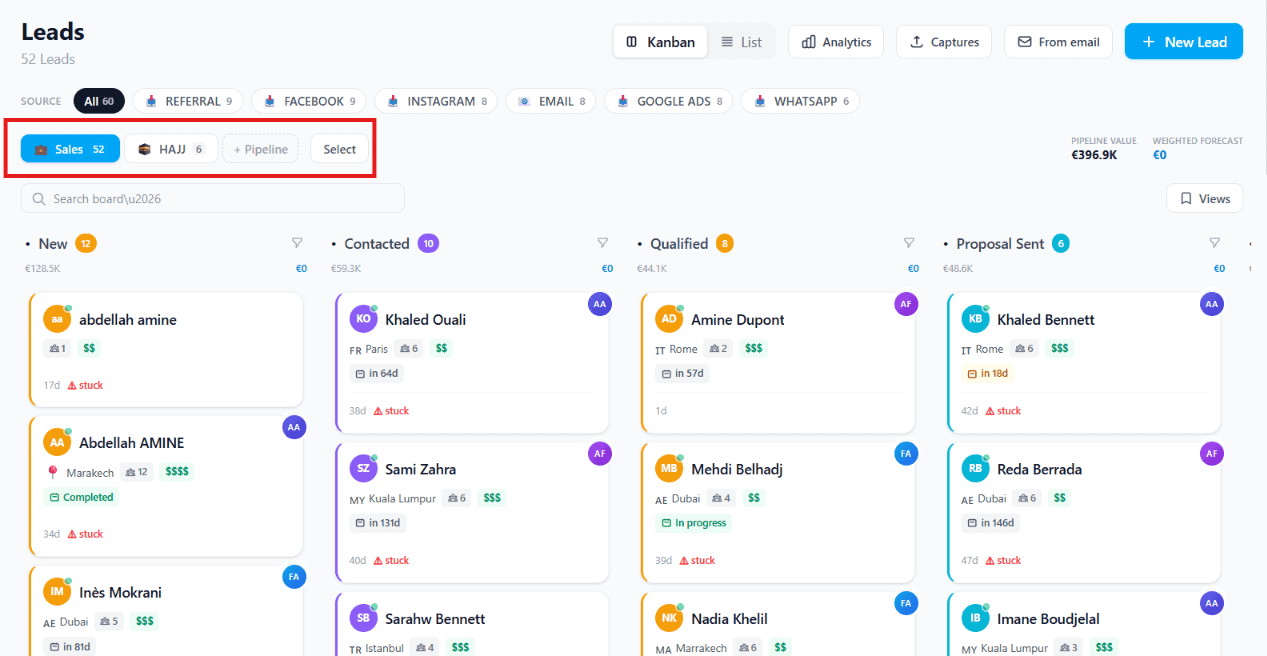
The boards (such as Sales and Hajj) represent different sales pipelines or business categories. These pipelines help organise leads based on specific campaigns, destinations, services, or business processes, making it easier to manage each type of customer journey.
Every business may have different sales workflows. For example, a corporate travel pipeline is very different from a spiritual travel pipeline. Corporate travel bookings may involve company approvals, travel policies, and invoicing, while spiritual travel (such as Hajj or Umrah) often requires document verification, visa processing, seminars, and group coordination.
That's why every travel agency can create its own customised sales journey pipeline that matches its services and operations. This allows teams to:
- Organise leads based on the type of service or campaign
- Track customers through the appropriate sales stages
- Customise workflows for different travel products
- Improve efficiency and optimise the customer journey from inquiry to booking
4. Search Bar
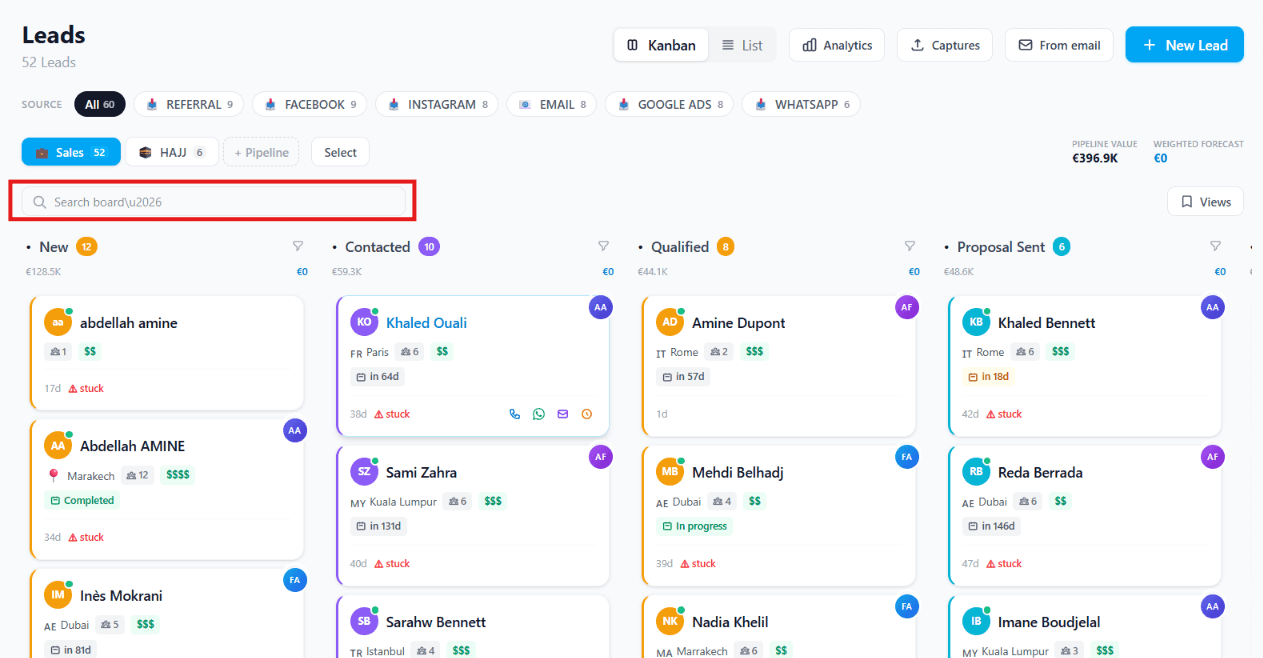
You can quickly search for a specific lead by name or keyword. The search matches across the lead's name, email, phone, destination, and any custom tags you've added.
5. Lead Stages
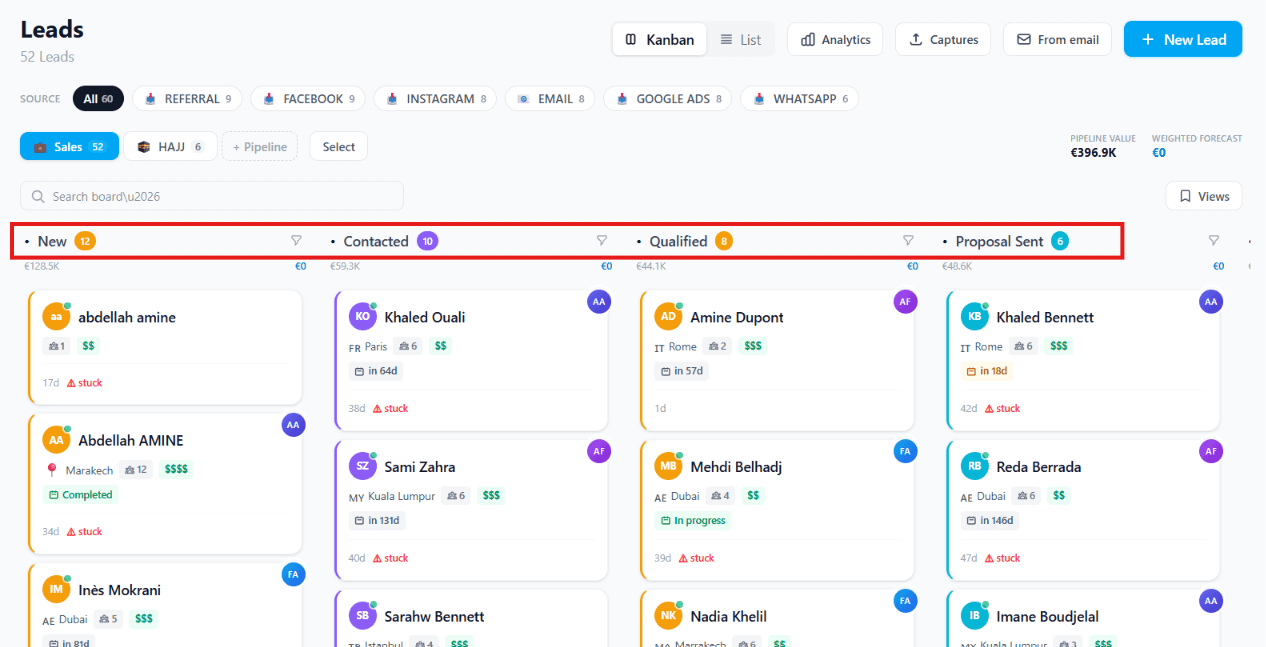
The Kanban board organises leads according to their progress in the sales process, allowing you to easily track where each lead is in the customer journey.
- New — Newly received inquiries that haven't been contacted yet
- Contacted — Prospects who have already been reached out to
- Qualified — Leads that have shown genuine interest and are likely to book
- Proposal Sent — Customers who have already received a quotation or travel package
- Additional stages — Depending on your sales process, you can create additional stages such as Follow-Up, Negotiation, Payment Pending, Booked, or Closed
As leads progress, you simply drag and drop them from one stage to the next.
Each stage in the pipeline can also trigger automatic actions when a lead enters or leaves it. For example: when a lead moves to Qualified, automatically assign the senior agent and send a follow-up WhatsApp template. When a lead moves to Proposal Sent, schedule a follow-up task in 3 days. This turns your pipeline from a passive board into an active workflow that ensures no lead falls through the cracks.
Customise Your Sales Stages: The sales stages are fully customisable. You can add, rename, reorder, or remove stages to match your business workflow. Every agency has a unique sales process, so you can design a pipeline that reflects how your team manages leads — from the initial inquiry through booking and post-sale follow-up. This flexibility ensures your Kanban board aligns with your organisation's sales journey and helps optimise your team's workflow.
6. View & Edit Lead Details
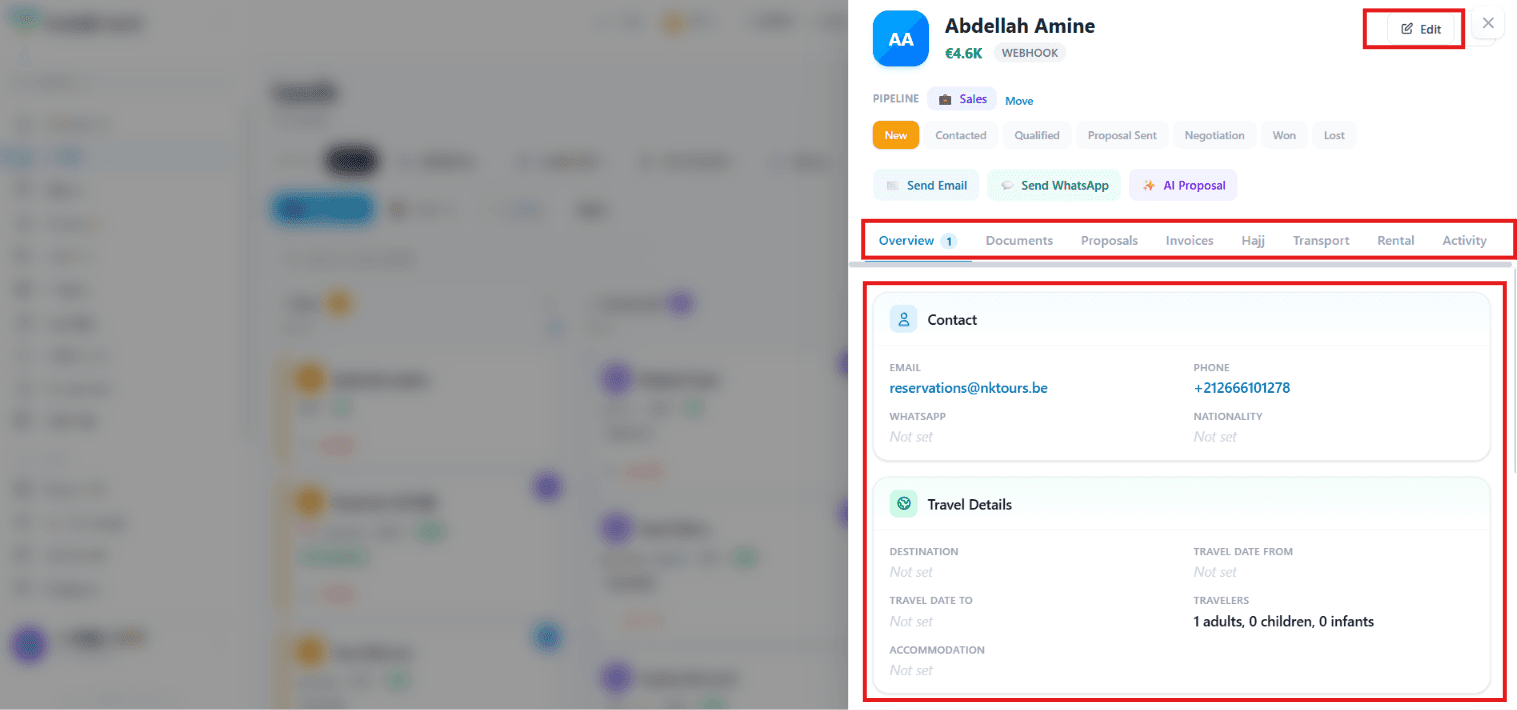
Click on any lead to open a complete customer profile where agents can easily view and update information without leaving the CRM.
Inside each lead profile, you can:
- Edit customer information
- View contact details (email, phone number, WhatsApp, nationality)
- Update travel details such as destination, travel dates, accommodation, and number of travellers
- Move the lead through the sales pipeline (New, Contacted, Qualified, Proposal Sent, Negotiation, Won, Lost)
- Send emails or WhatsApp messages directly from the lead profile
- Generate AI-powered travel proposals
- Access all customer-related records in one place
Customer Tabs
Each lead profile includes dedicated tabs for managing every stage of the customer's journey:
| Tab | What it contains |
|---|---|
| Overview | Customer contact information and travel details |
| Documents | Store and manage travel documents |
| Proposals | View and send travel quotations and itineraries |
| Invoices | Track customer invoices and payments |
| Hajj | Manage Hajj & Umrah bookings and pilgrim records |
| Transport | View transportation arrangements |
| Rental | Manage vehicle rental bookings |
| Activity | Complete history of customer interactions and updates |
7. View Options
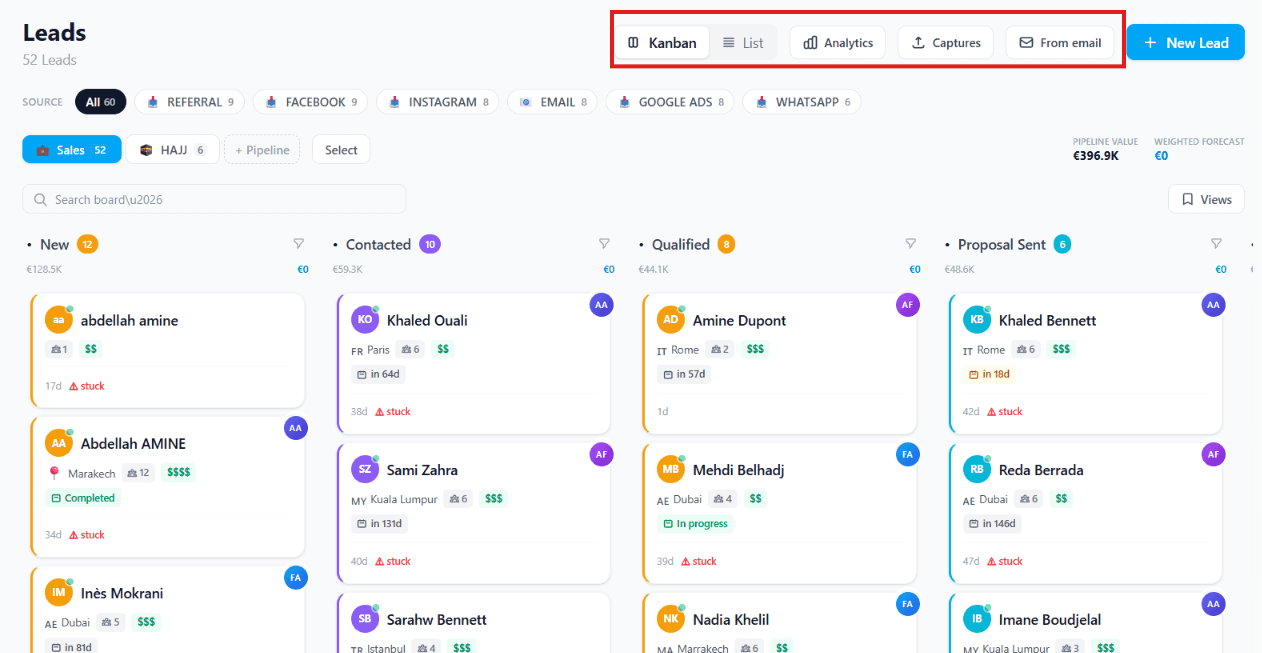
You can switch between different ways of viewing your leads:
- Kanban — Card-based view showing the stages visually
- List — Spreadsheet-like list of all leads
- Analytics — Reports and insights about your leads
- Captures — Leads collected from forms or other sources
- From Email — Leads generated directly from emails
8. Pipeline Analytics
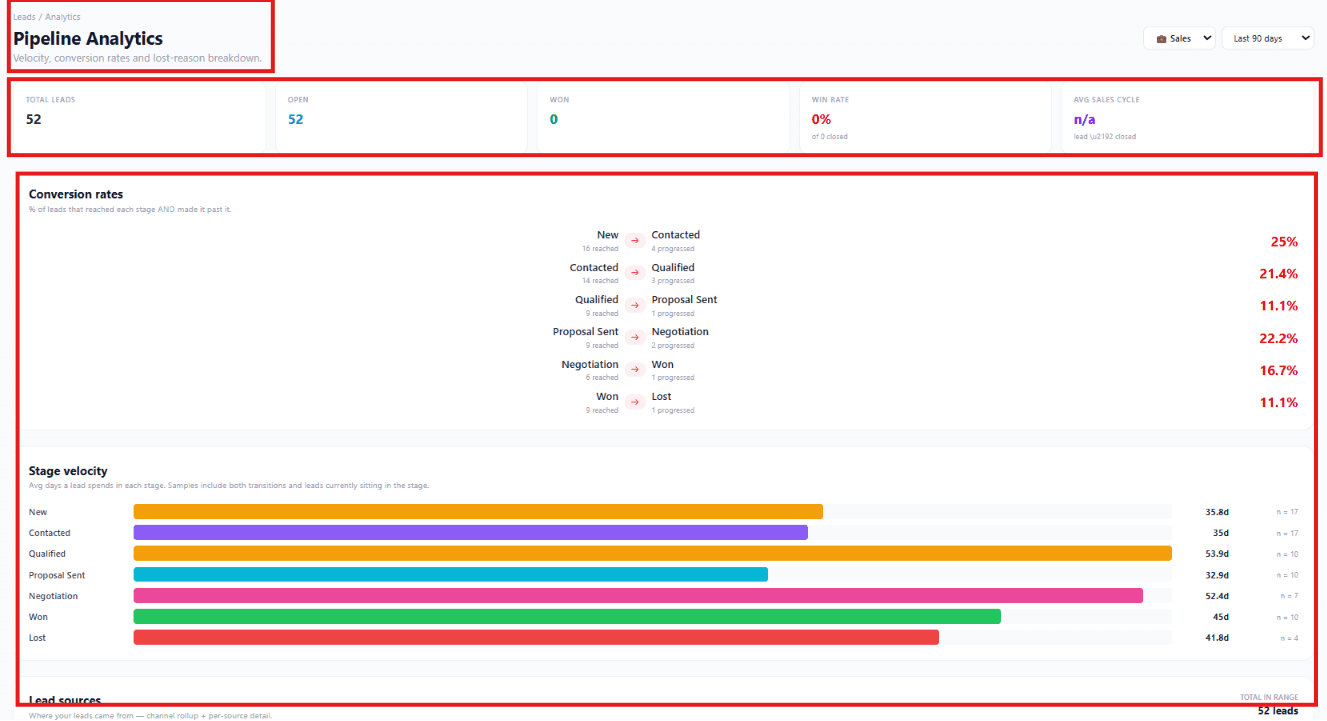
The Pipeline Analytics page provides a comprehensive overview of your sales pipeline performance. It allows you to monitor lead progression, conversion rates, and the speed at which leads move through your pipeline.
Pipeline Summary
The Pipeline Summary displays key performance indicators (KPIs) for the selected pipeline and date range.
It includes:
- Total Leads — The total number of leads in the selected period
- Open — The number of active leads still progressing through the sales pipeline
- Won — The number of leads successfully converted into customers
- Win Rate — The percentage of closed leads that resulted in a successful sale
- Average Sales Cycle — The average amount of time it takes to convert a lead into a customer
You can also filter the report by:
- Pipeline (Sales, Hajj, Corporate Travel, etc.)
- Date Range (Last 30 Days, Last 90 Days, Custom Dates)
Importance
The Pipeline Summary gives managers a quick snapshot of the overall health of the sales pipeline. It helps determine whether the team is consistently moving leads through stages, identifies where opportunities may be stalling, and supports faster, data-driven decisions about where to focus effort.
Benefits
- Provides a real-time overview of sales performance
- Helps monitor sales goals and team productivity
- Measures overall conversion success
- Tracks how efficiently leads are being converted into customers
- Supports data-driven business decisions
Conversion Rates
The Conversion Rates section measures how effectively leads move from one stage of the sales process to the next.
For each transition, the system displays:
- The number of leads that entered a stage
- The number that successfully progressed
- The percentage of leads that moved forward
Example transitions:
- New → Contacted
- Contacted → Qualified
- Qualified → Proposal Sent
- Proposal Sent → Negotiation
- Negotiation → Won
Importance
Conversion rates reveal where leads are progressing smoothly and where they are dropping off. This helps identify weaknesses in your sales workflow and lets managers coach specific teams or agents on the stages where they're losing deals.
Benefits
- Identifies stages with low conversion rates
- Helps improve follow-up strategies
- Reveals opportunities to optimise the sales process
- Measures salesperson and team effectiveness
- Increases the likelihood of converting more leads into customers
Stage Velocity
The Stage Velocity chart shows the average amount of time leads spend in each stage of the sales pipeline.
The report includes:
- Average number of days in each stage
- Number of leads included in the calculation
- Visual comparison across all stages
Example stages: New, Contacted, Qualified, Proposal Sent, Negotiation, Won, Lost.
Importance
Understanding how long leads remain in each stage helps identify bottlenecks that slow down the sales process. Faster movement through stages typically correlates with higher win rates.
Benefits
- Identifies delays in the sales process
- Improves response and follow-up times
- Helps managers monitor team efficiency
- Reduces the overall sales cycle
- Enables faster deal closures
9. + New Lead Button
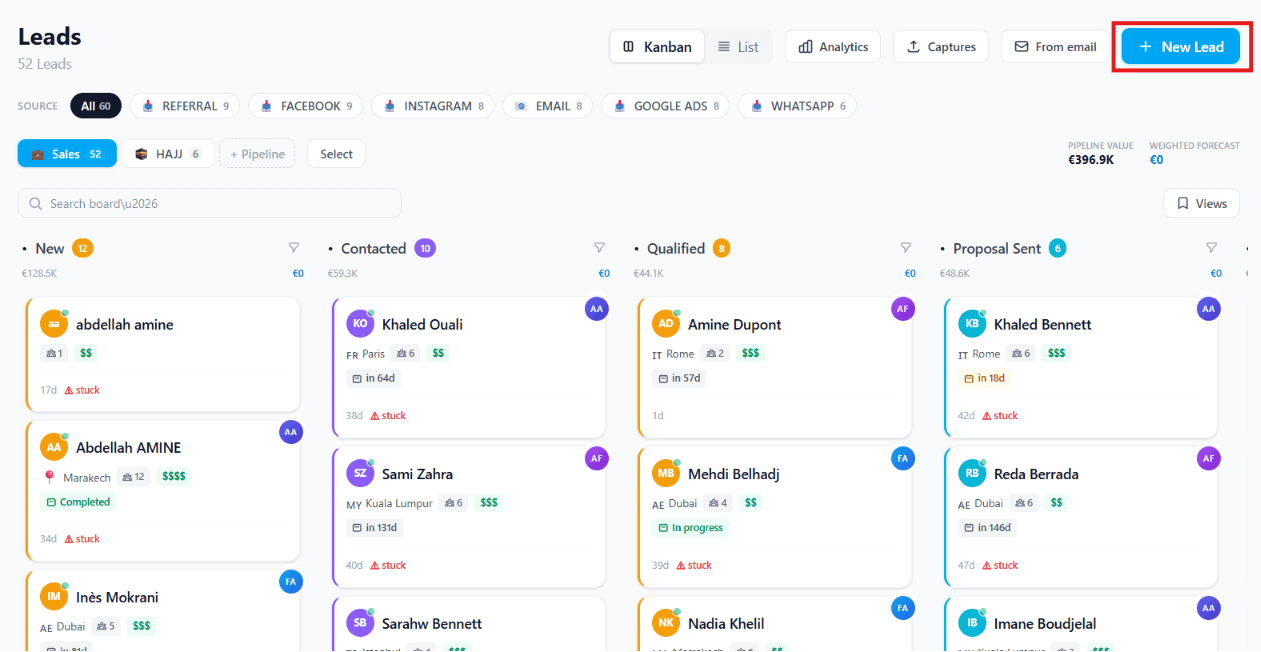
The + New Lead button allows you to add a new potential customer manually. Use it for walk-ins, phone enquiries, or any contact that doesn't arrive through an automated channel. The form takes about 30 seconds to complete and immediately places the lead into your chosen pipeline.
Frequently asked questions
Can I have multiple pipelines running at the same time?
Yes. Most agencies run two or three at once — Sales, Hajj/Umrah, and Sub-agent referrals are the most common combination. Each pipeline has its own stages, its own automation rules, and its own reports.
What happens to a lead I mark as "Lost"?
Lost leads stay in the database forever — never deleted. The system tracks the loss reason (too expensive, timing, went with competitor, no response) so you can later run reports on why deals fall through. Lost leads can also be re-engaged with a new follow-up sequence months later.
How accurate is the AI lead score in the first weeks?
For the first ~50 won leads, the AI uses a cross-tenant baseline by agency segment (Hajj operator, leisure agency, corporate, etc.). After 50 won leads it starts learning from your own conversion patterns. By 200 won leads, it's typically more accurate than your best agent's gut feeling.
Are my leads private to my agency?
Yes — multi-tenant isolation is enforced at every single database query. No other agency on the TravelBoost platform can see your leads, your conversions, or your pipeline analytics.
Can I import a spreadsheet of existing leads?
Yes — click Import on the leads page, drag-and-drop a CSV or Excel file, and use the column mapping wizard to match your spreadsheet columns to TravelBoost lead fields. Up to 10,000 rows per import.